The product
School Ace is a school canteen ordering system. Parents order recess and lunch for their children ahead of time, and the canteen sees every order by date, class and child, with a health rating on each item. It has two apps:
The canteen admin: sales, orders, the menu and its items, students, parents and schools, days the canteen is closed, bank accounts, payout transfers and tax invoices.
The parent app: children, ordering by date, choosing food, a confirmation step before paying, past orders and transactions, and news articles.
The backend was another team's work. The orders and children in the screenshots are sample data.
My part
I built the UI of both apps in React in 2022: every screen, from the dashboards to the ordering flow. The screens run on sample data, ready for the API.
The canteen at a glance
The admin dashboard opens on gross sales over the year, how today's orders were paid, the last 30 days of customers and spending, and the best-selling items with their health rating. Shortcuts to edit the menu, add an item, take a payment or send an invoice sit next to the chart.
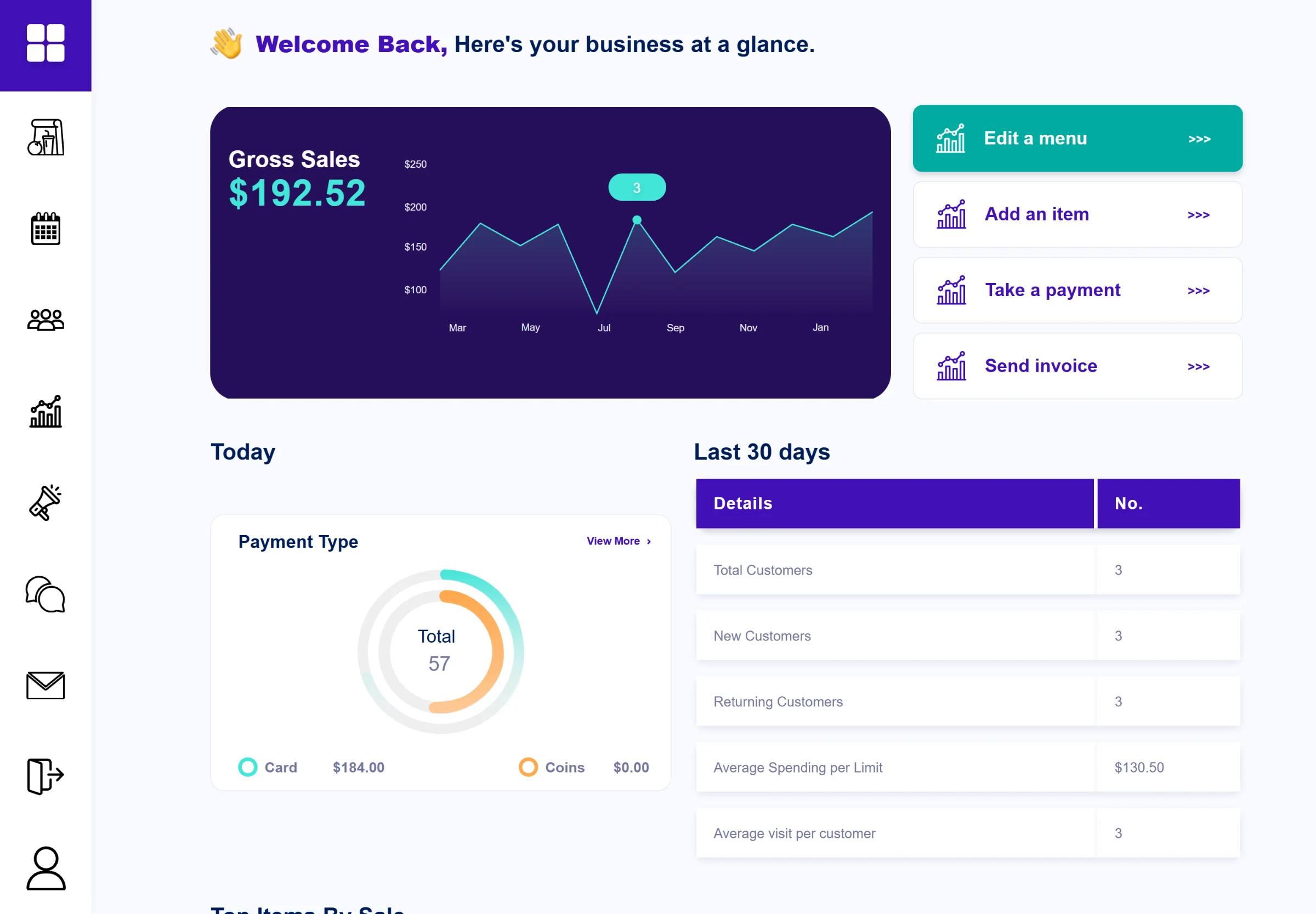
The canteen dashboard: sales, payment types and the last 30 days.
Orders come in by day, with the number of orders and the totals at the top and every line below: who placed it, for which child, which class and teacher, and what is in it. The table can be printed or exported. Days the canteen is closed are set on a calendar, per session.
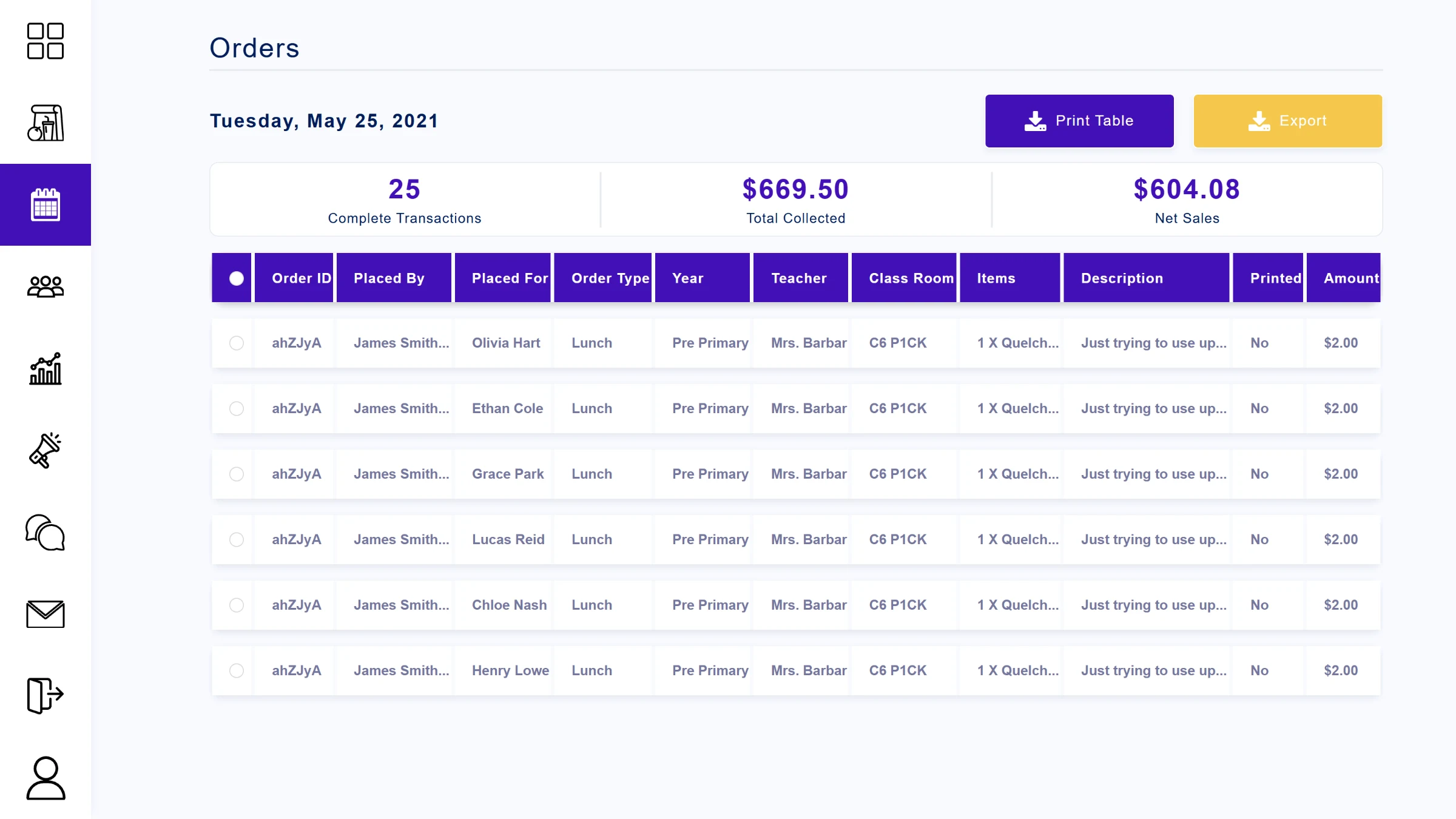
A day's orders, with totals, ready to print or export.
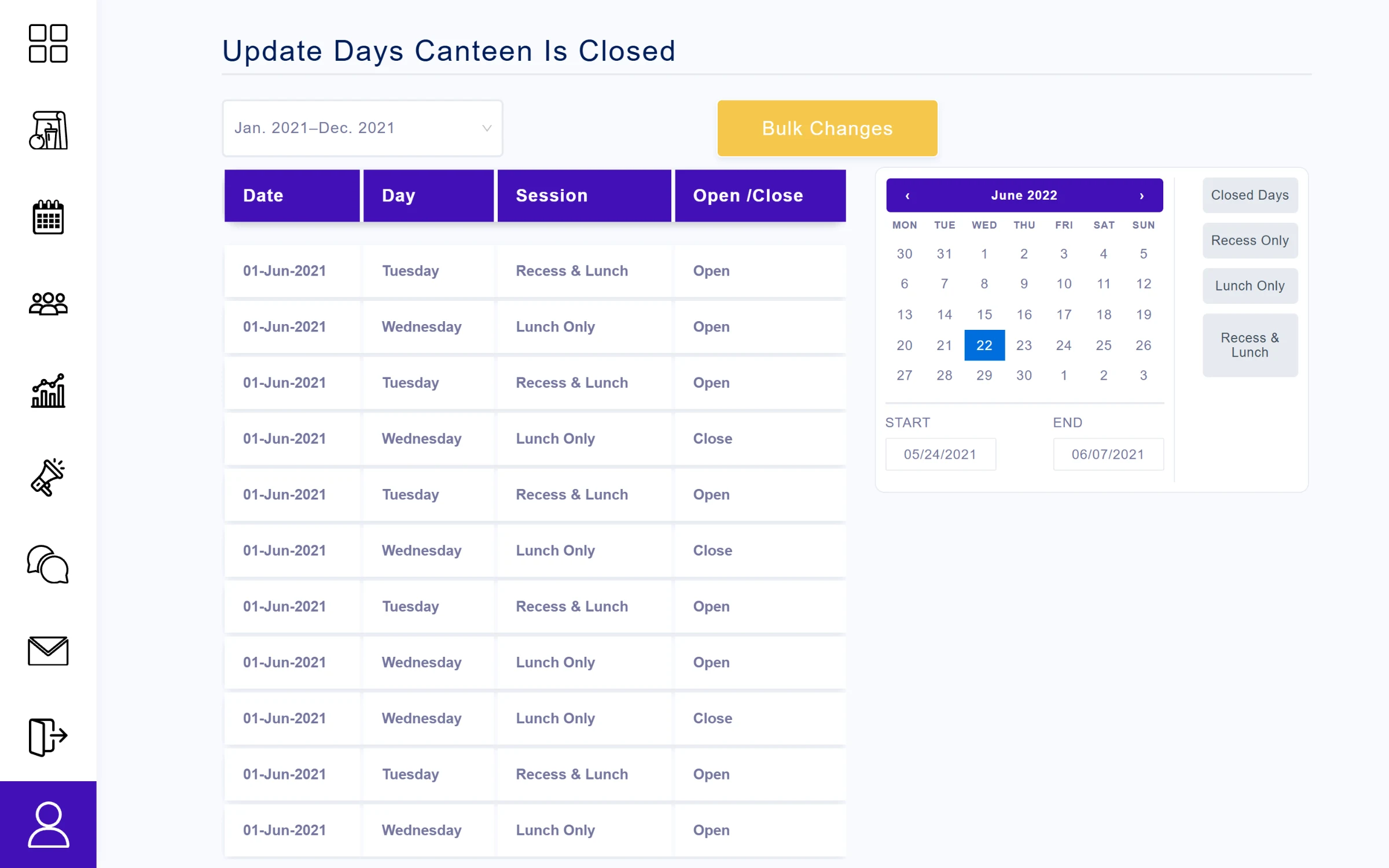
Setting the days the canteen is closed, per session.
Getting paid
The money side lives in the account settings. The canteen links its bank account, picks an automatic or manual transfer schedule, and sees for each business day when the day closes in Sydney time and when the money arrives in the bank. Monthly GST invoices are ready to download.
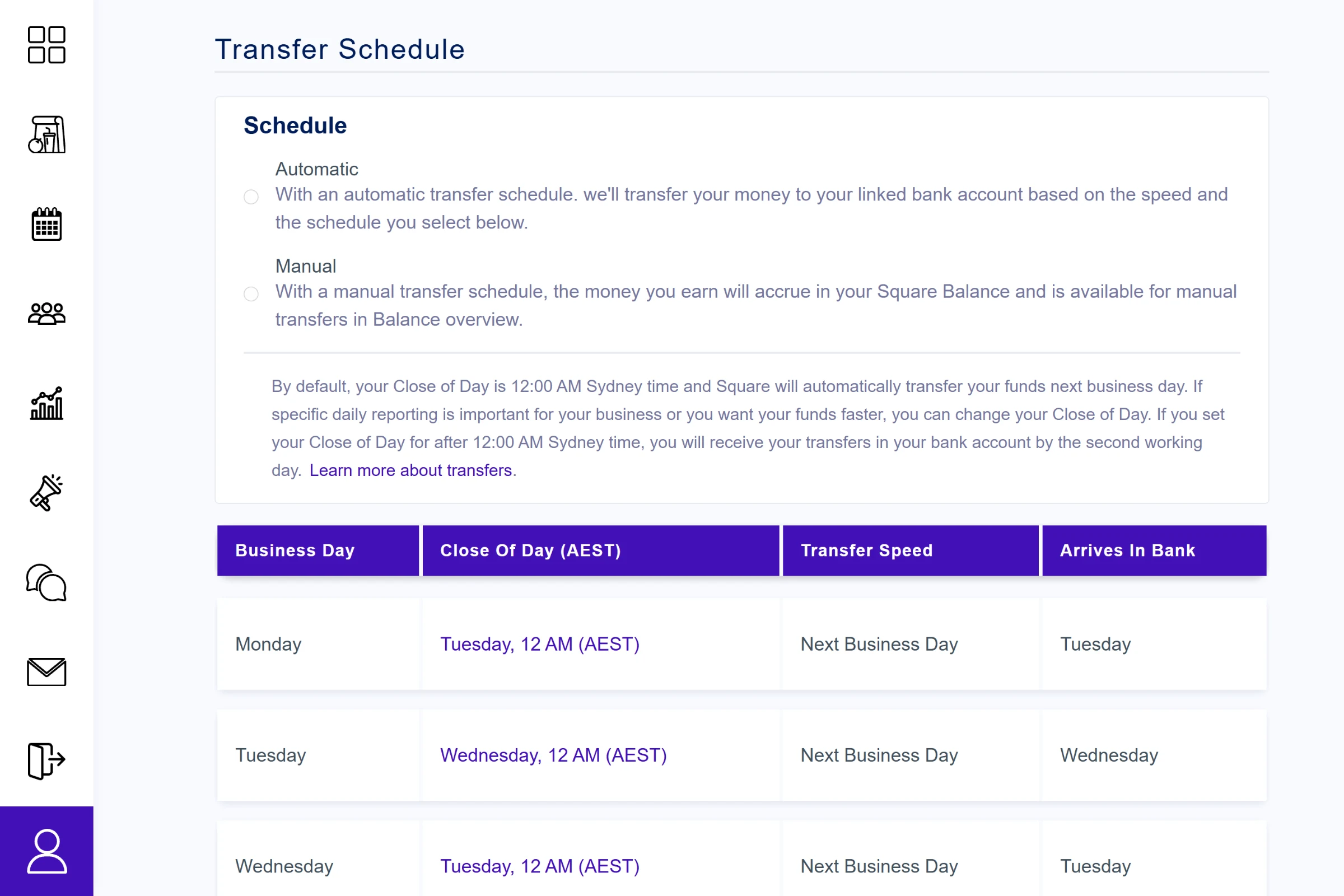
The transfer schedule: close of day and arrival in the bank for each business day.
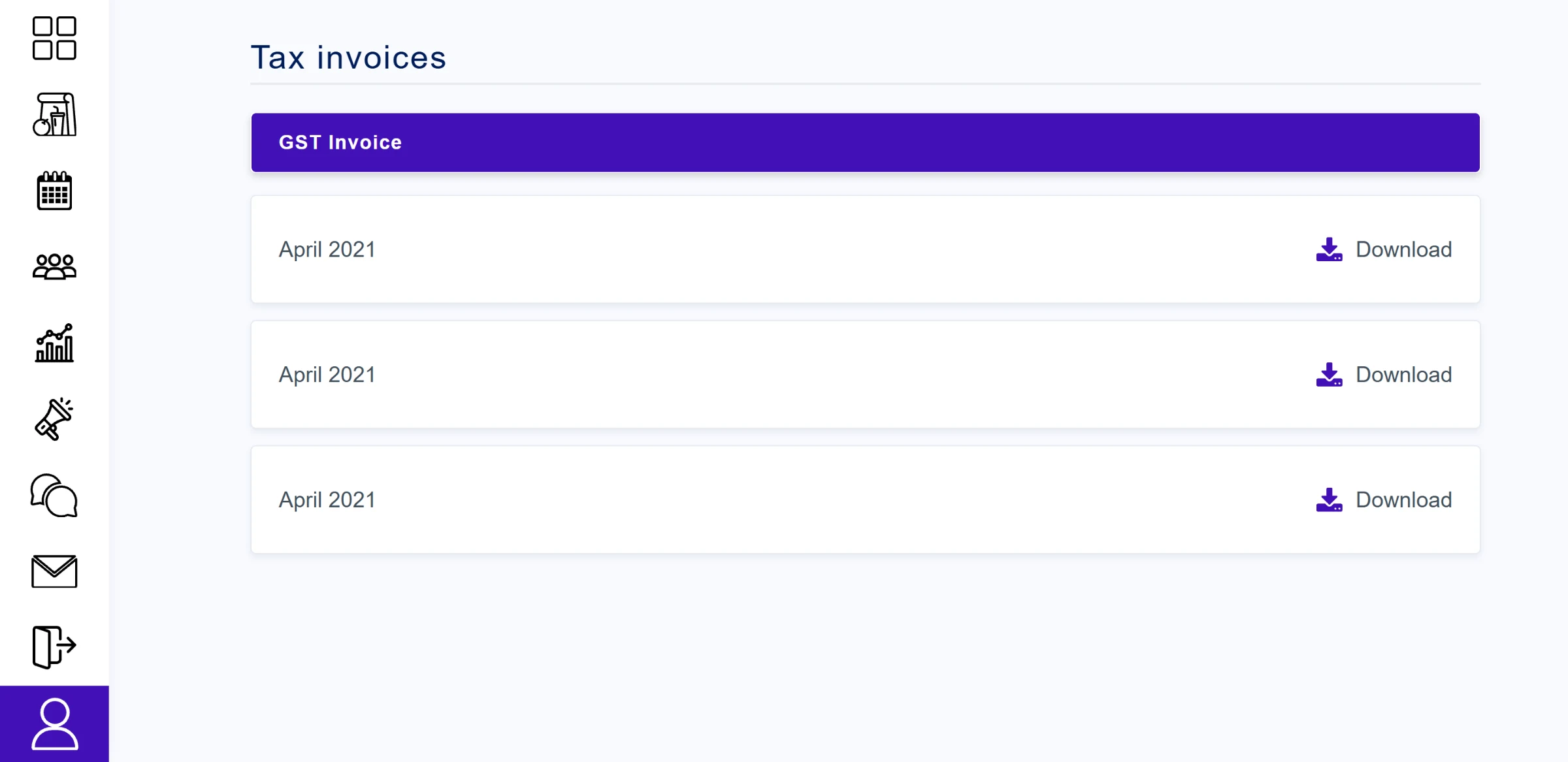
Monthly GST invoices, one click to download.
Ordering as a parent
Parents see their order trend, a health breakdown of what their children eat, and a card for each child with their photo, school, teacher and whether today's order is placed. Ordering is three steps. They pick dates on a calendar for each child, separately for recess and lunch, then choose food for each session, then confirm a summary per child with the fees and the total before placing the order.
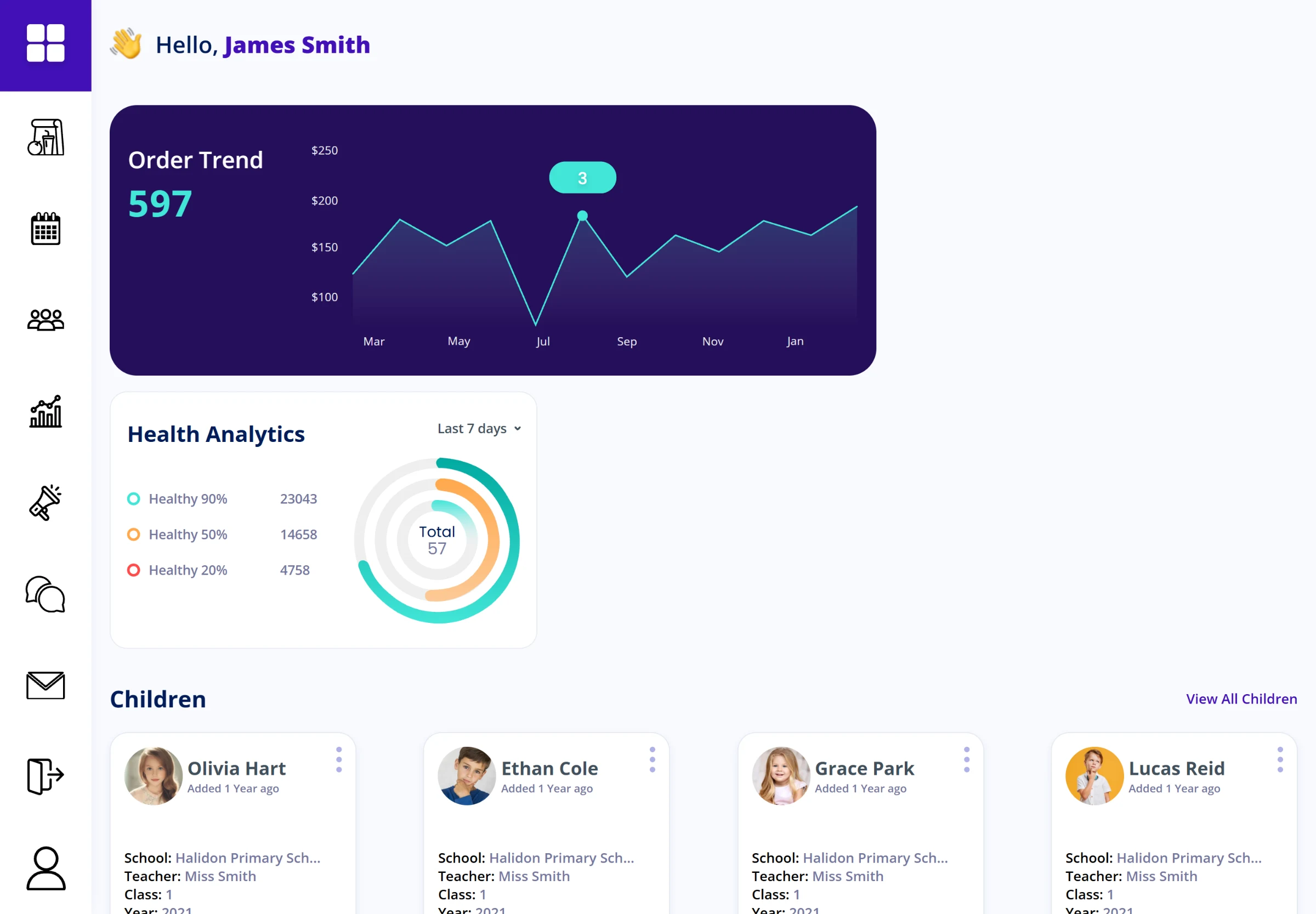
The parent home: order trend, health analytics and each child.
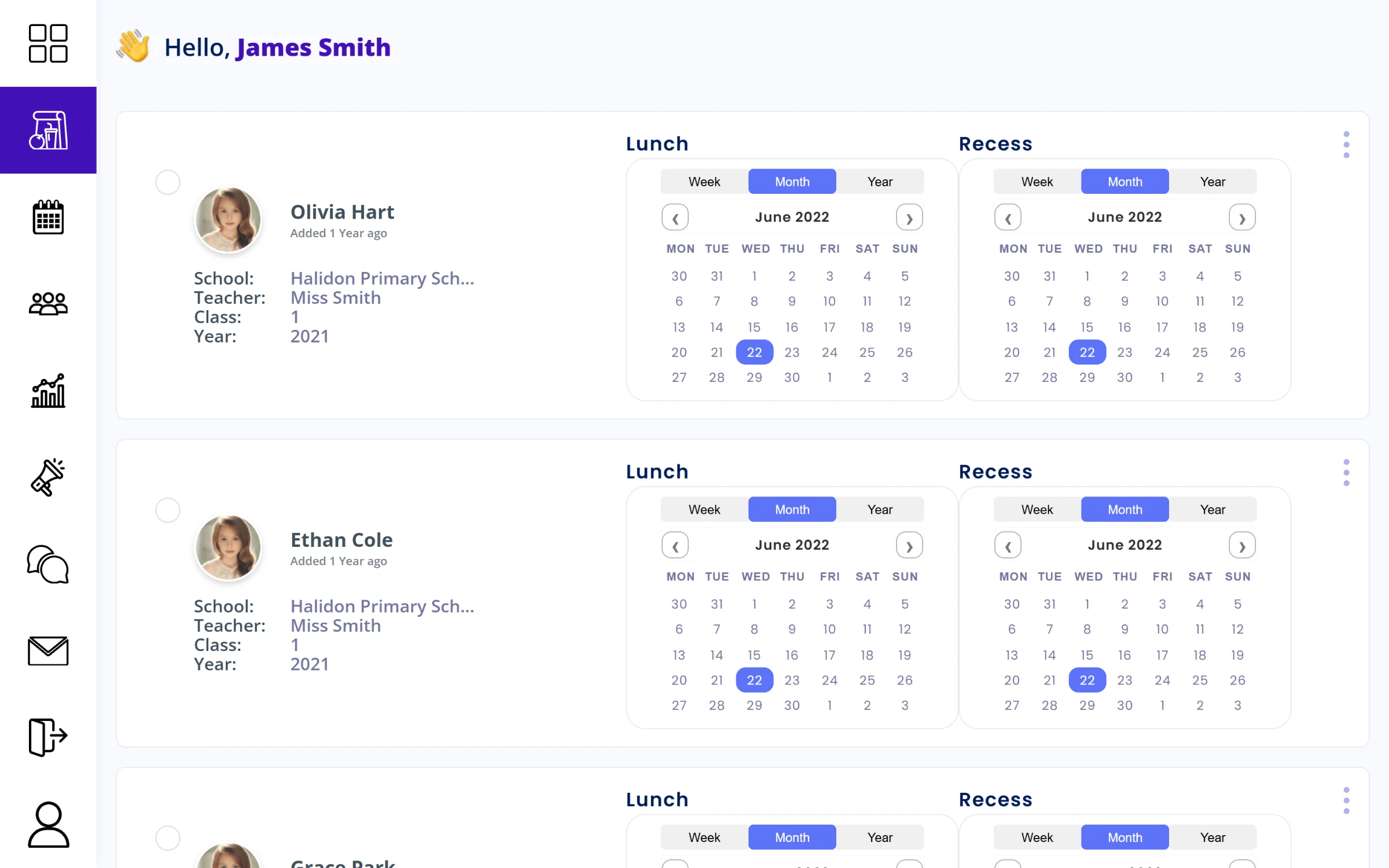
Step one: choose the days for recess and lunch, per child.
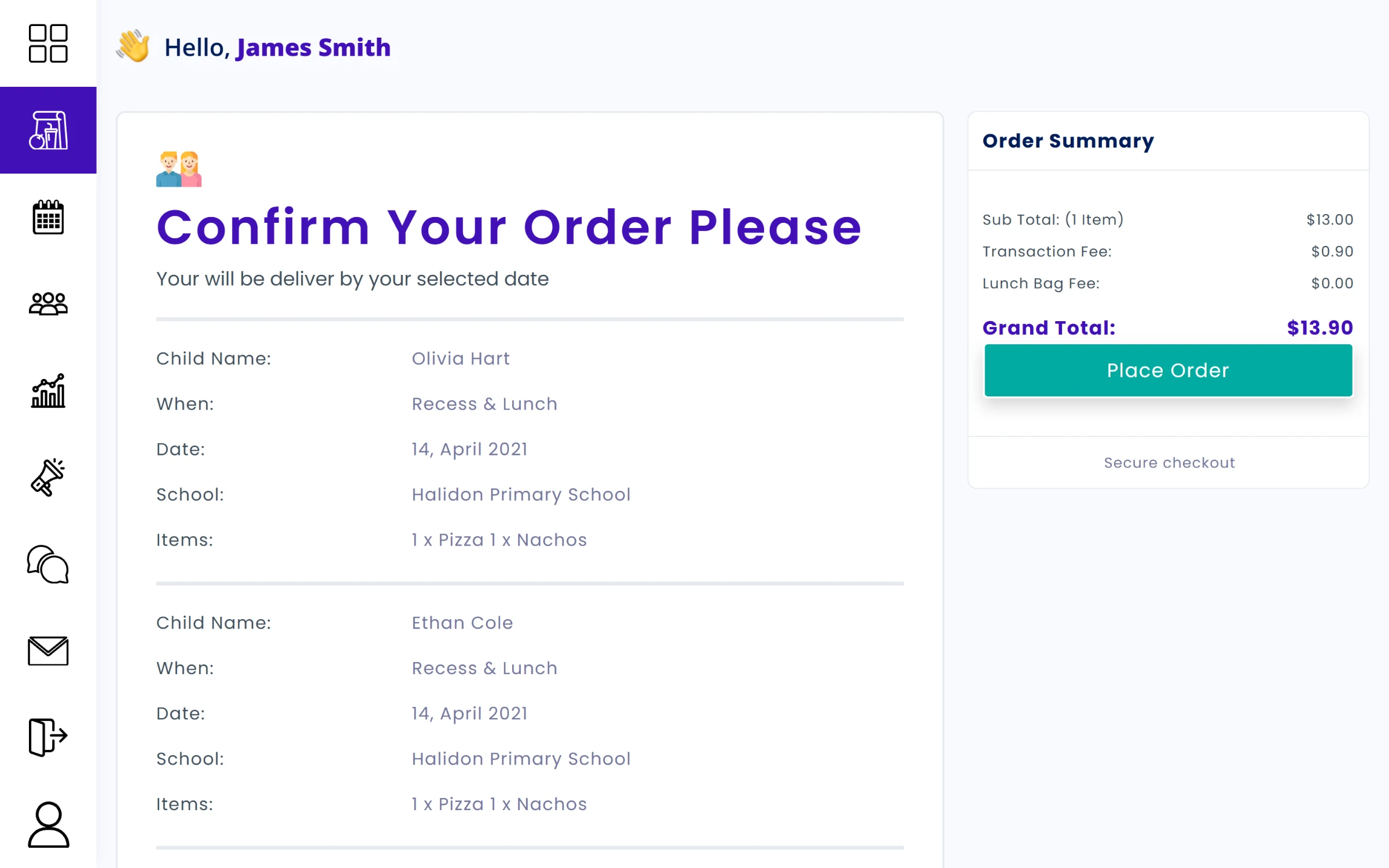
Step three: check every child's order before placing it.
News for parents
The parent app also carries articles: a grid of news cards, and an article page with a category, a large banner, the body, the author and related articles below.

News for parents, as a grid of cards.

An article page.