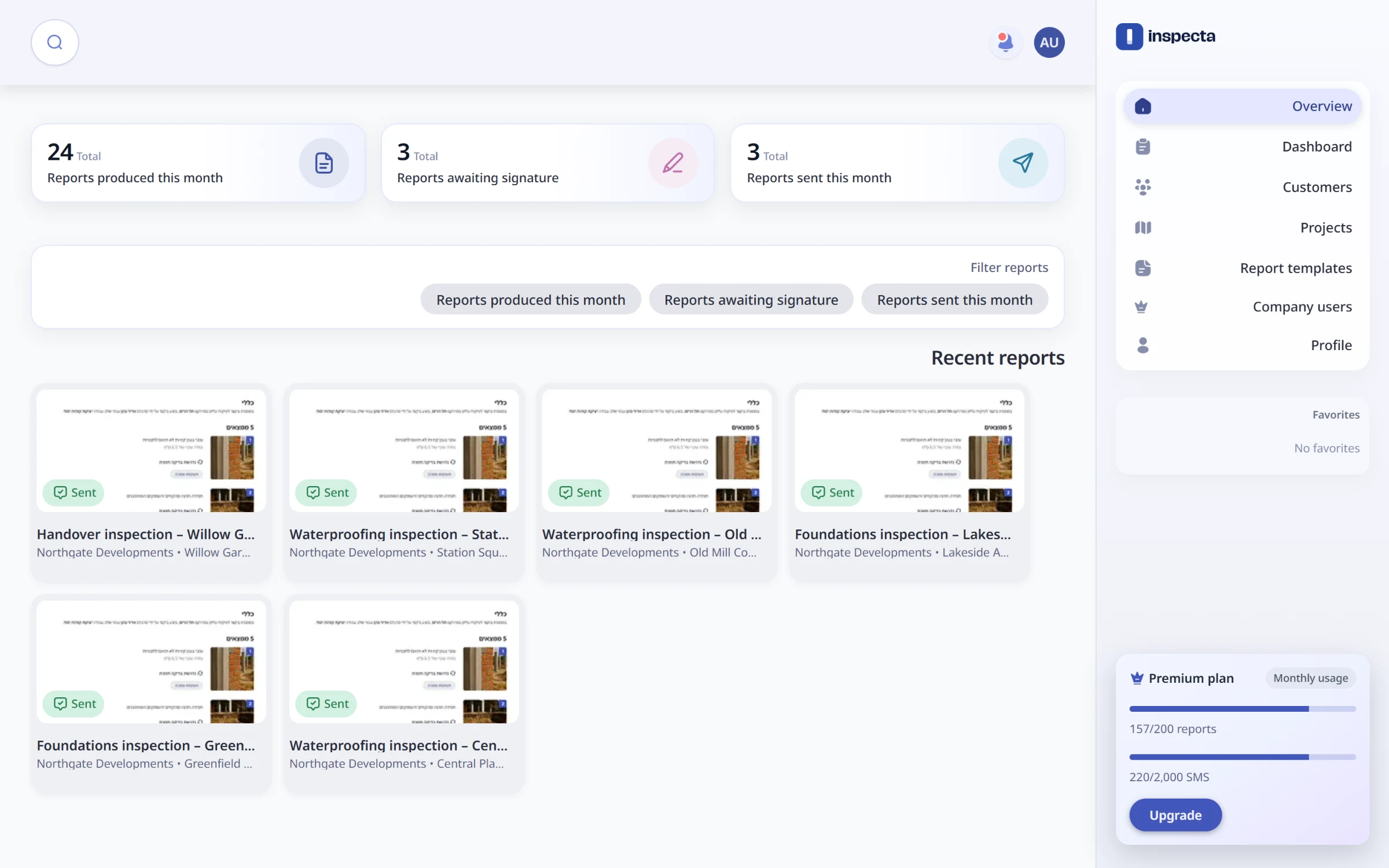
The problem
Building inspectors spend their days on site and their evenings typing. Findings go into a notebook or a phone gallery, then into a Word file, then into a PDF someone signs and emails to the developer, the contractor and the architect. Every firm has its own report format, and every report is rebuilt by hand.
What Inspecta does
Inspecta turns that into one flow:
an admin builds the firm's report template once
an inspector opens a report for a customer's project and adds findings on site from the mobile app, with photos and dictation
submitting the report produces a branded, signed PDF
the PDF is ready to send to the project's mailing list
The web app is where the office works: customers, projects, reports, templates and users.
My role
I built the web app, nearly all of it. On the backend, which I shared with a teammate who also built the mobile app, I built:
sign-in with Google, Microsoft and Apple
password reset
company users with signing rights
signature and stamp uploads
global search
moving PDF generation to a headless browser
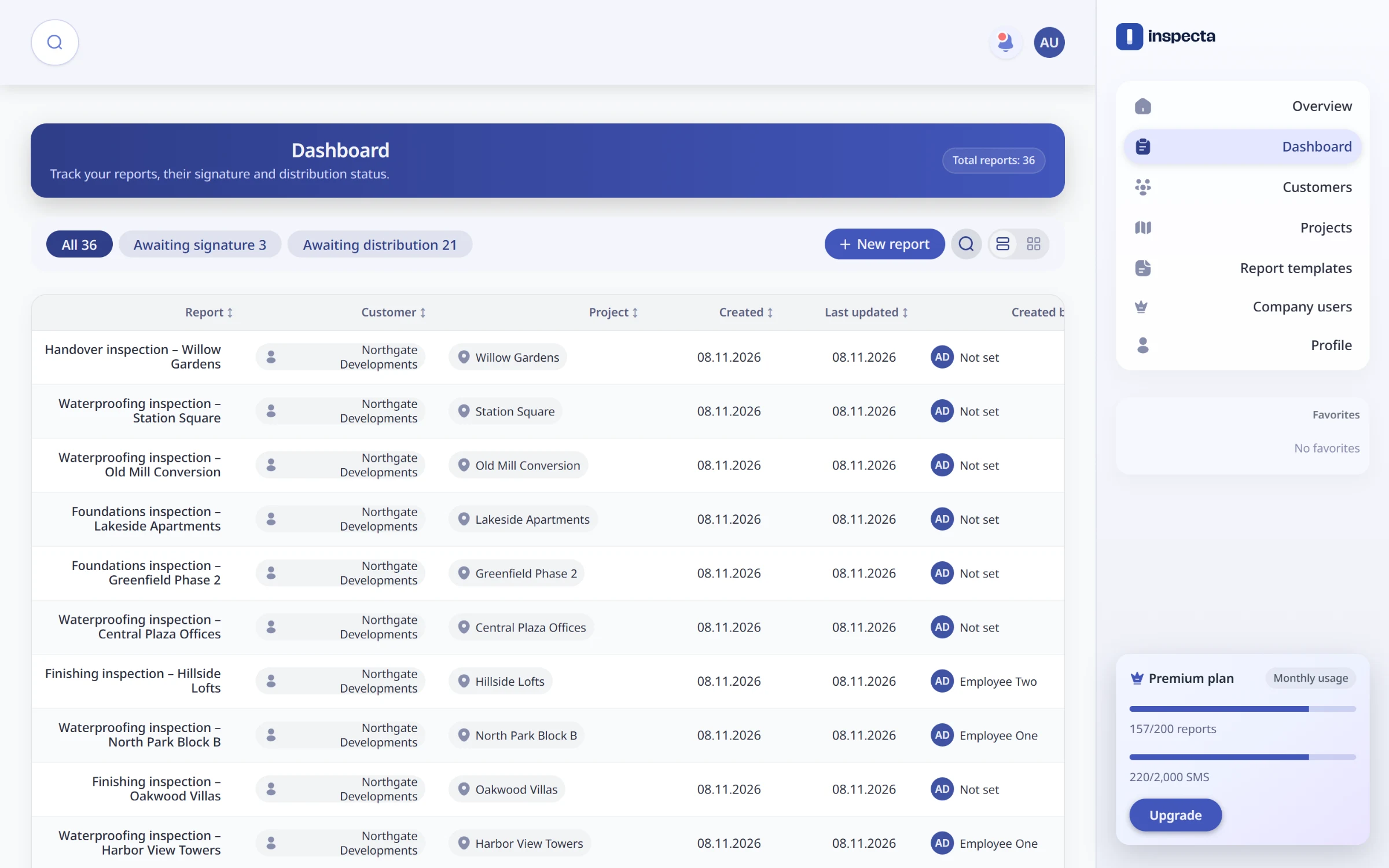
Every report with its customer, project and status, filtered by what still needs a signature or distribution.
Templates without code
Every firm reports differently, so the report itself is data. Admins build a template from tabs, sections and fields, with eleven field types from text and checkboxes to segmented controls and photo uploads. They choose which fields act as a finding's title, subtitle, badge and image. Templates are versioned, so a report always renders with the version it was written against, even after the template changes.
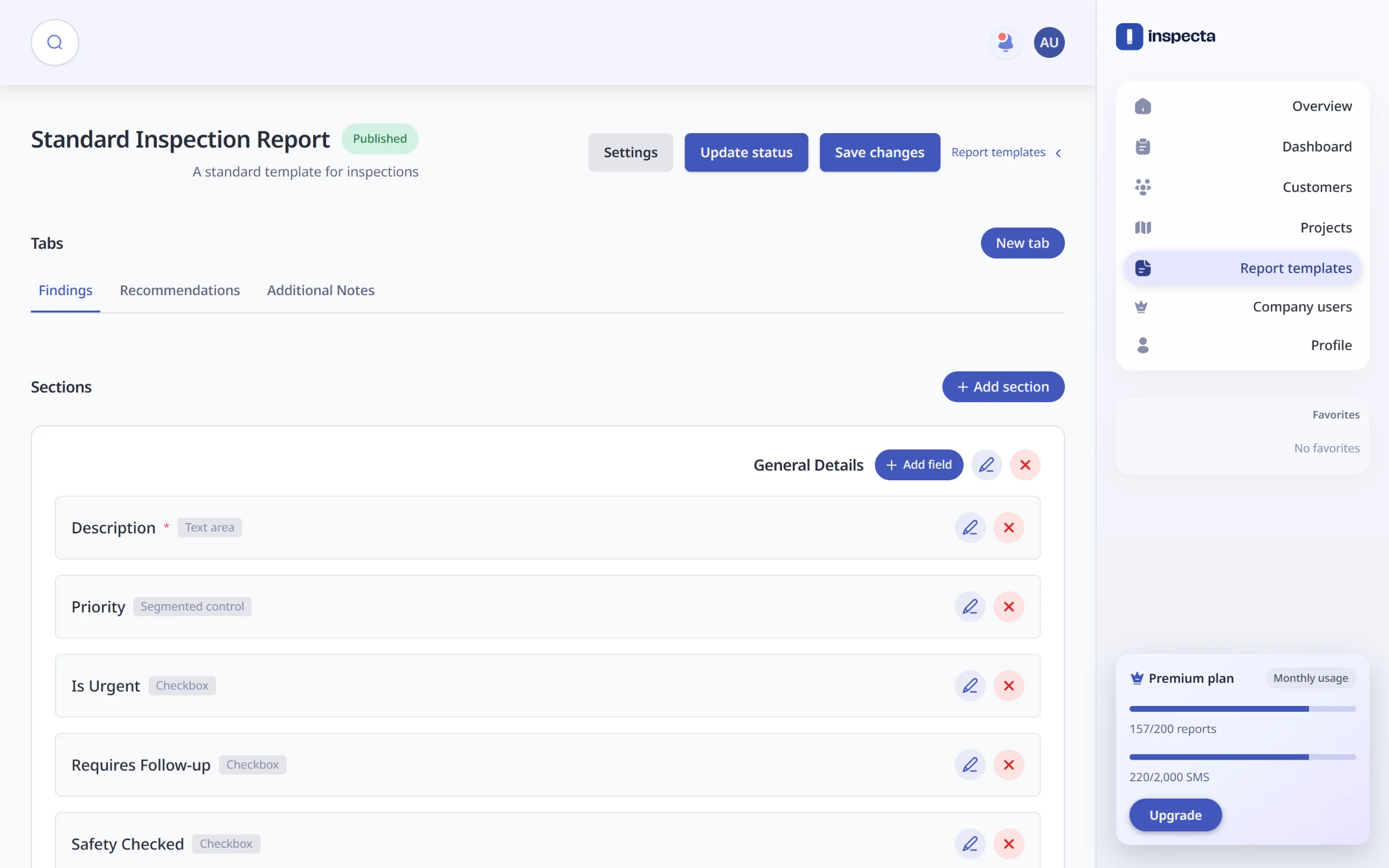
The template builder: tabs, sections and fields, published as versions.
Findings, then a signed PDF
Each finding shows its description, priority badge and photo, grouped by the template's tabs. When the inspector submits, the PDF is generated in the background so they are never kept waiting. If generation fails, the report goes back to draft instead of being left half-done. An authorised user then signs, and the PDF is rebuilt with their signature and company stamp, with the white background removed from the stamp image so it sits cleanly on the page.
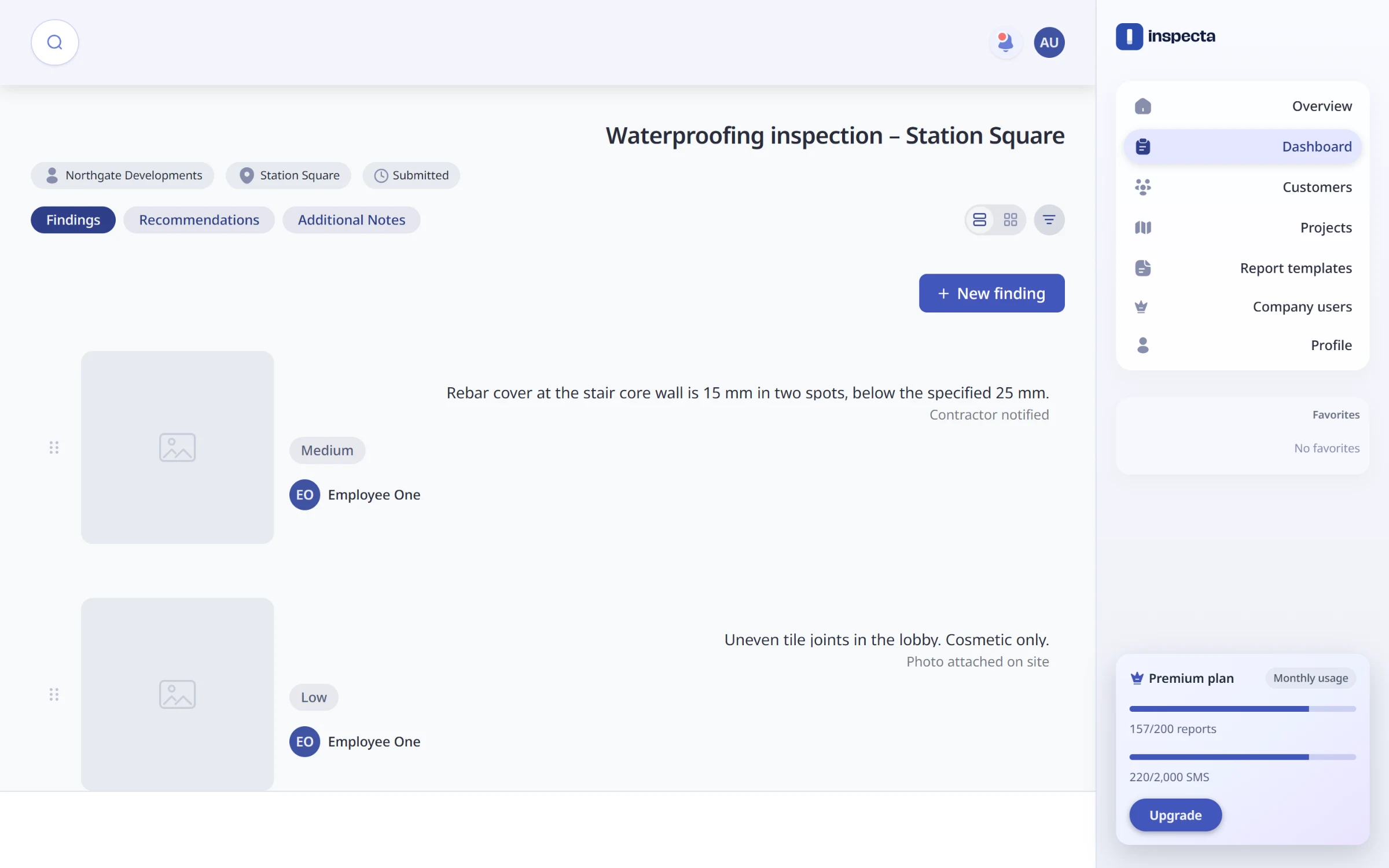
A report's findings, each with a priority badge and the inspector who logged it.
One account, four ways in
Inspectors sign in with email and password, or with Google, Microsoft or Apple, all linked to one account. The API behind it has 70 endpoints with a generated OpenAPI contract, and every company-scoped call checks that the company in the URL matches the signed-in user.