The problem
A law office reads a lot of contracts. Most of the time goes into the same first pass: find the clauses that move risk onto the client, spot the vague wording, and write a better version. That pass is slow, and it is the part a model can draft for a lawyer to check.
What AI Docs does
AI Docs is a document analyser for law offices. A lawyer keeps their clients and cases in it, uploads a contract to a case, says what they want checked, and gets back a structured review. Then they can keep asking questions about the same document.
Clients and cases, with status, filters, sorting and a document count on every row.
Upload a PDF or image, pick the operations (review, analyse, summarise, extract data, ask a question) and write the brief.
Each problem clause comes back with the original text, a suggested rewrite, the reason and a severity.
A chat on every document for follow-up questions, with three suggested next questions after each answer.
Two interface languages, chosen per user. One of them is right-to-left, and the whole layout flips with it.
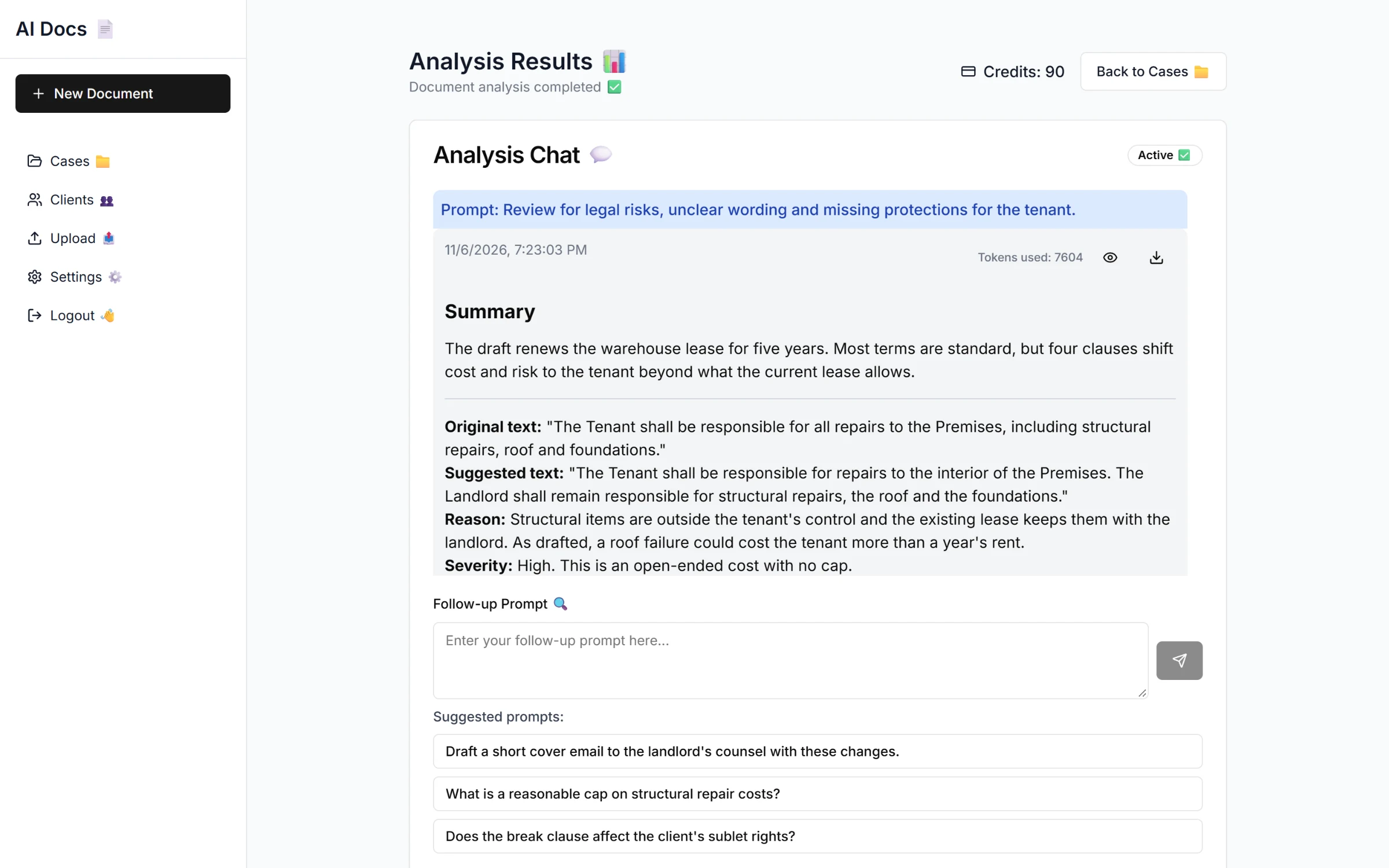
The first review of a lease: original text, suggested text, reason and severity for each clause.
My role
I built it alone, front to back, in nine days in December 2024: the Next.js app, the Express API, the MongoDB models and the document pipeline. I started the backend from the auth and office setup of Docufy, an earlier product of mine, and wrote the clients, cases, documents and AI chat on top of it.
Later that month I also started the frontend of VerdictAI's Microsoft Word add-in: its header, navigation and the first version of the assistant chat panel. Another developer built the rest of the add-in.
The pipeline behind one upload
One click on Analyze Document runs eleven steps. The file never passes through my server:
The API signs an upload URL and the browser puts the file straight into S3.
A document record is created and linked to the case.
DocuPanda parses the file. The app polls until it is ready.
The lawyer's operations and brief refine DocuPanda's extraction schema, then the document is standardised against it, with a second round of polling.
The structured result goes to GPT-4o with a system prompt written for contract review, and the answer is saved as the first message in the document's chat, with its token usage.
Turning the contract into structured data first made the model's answers more consistent than sending raw text, and the strict output format (original, suggested, reason, severity) made the answers easy to scan and easy to render.
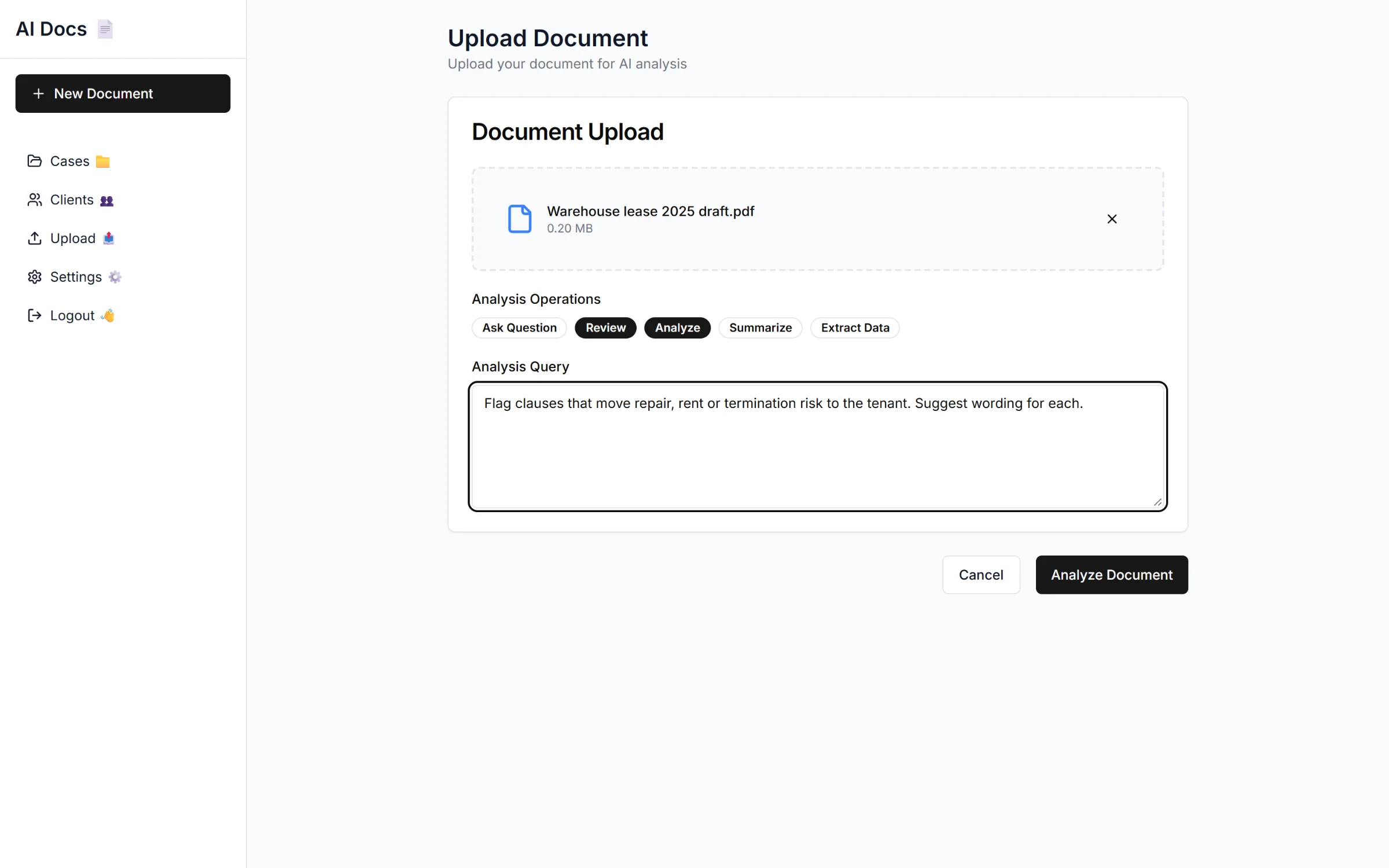
The upload form: the file, the operations and the brief for the model.
A conversation per document
Every answer is stored against the document, so the review survives a reload and the earlier answers go back to the model as context with each follow-up. After each answer the API asks the model for three short next questions, so a lawyer who does not know what to ask next has a place to start. Each message shows the tokens it used and can be opened full size or downloaded.
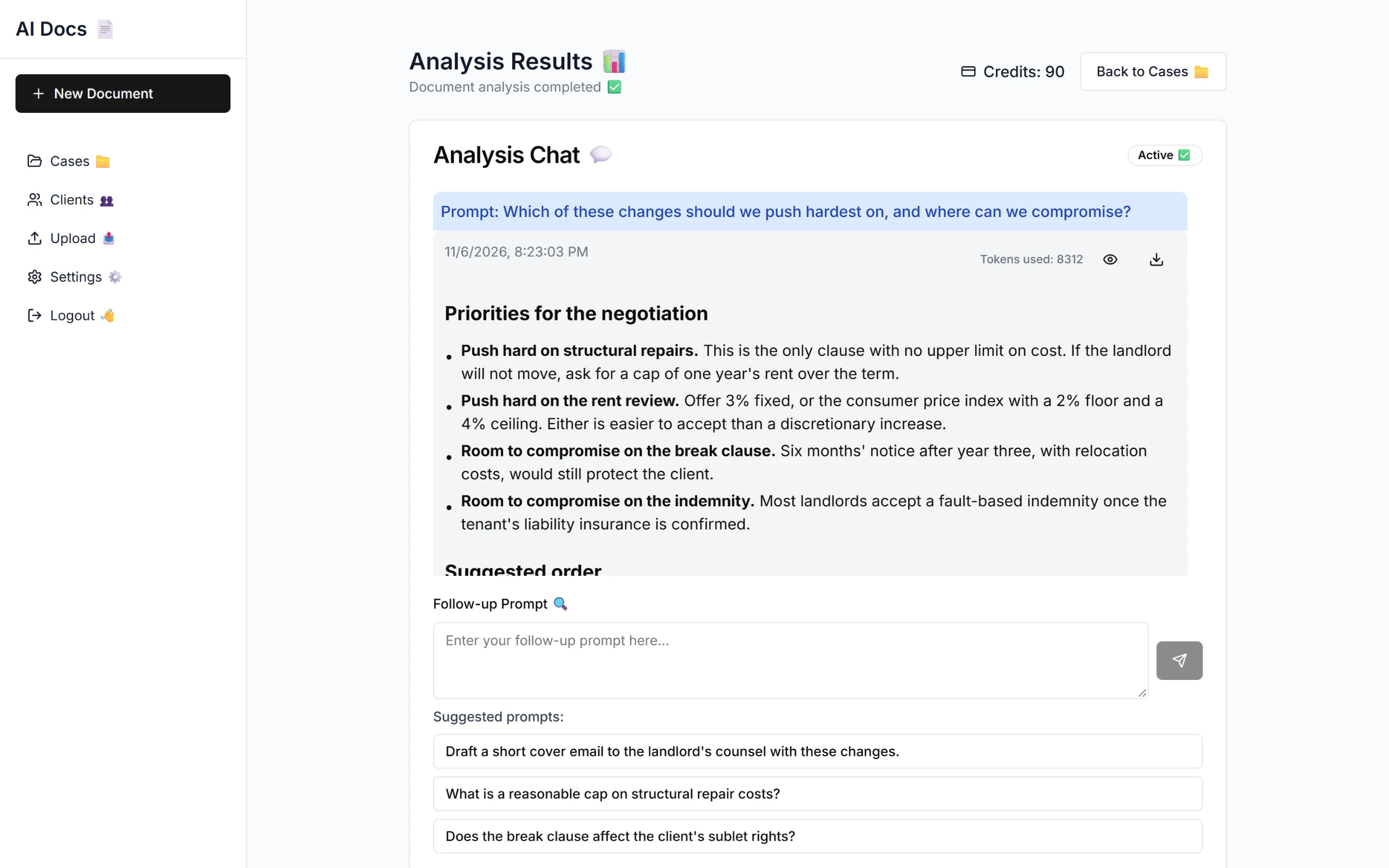
A follow-up on the same lease, with suggested next questions underneath.
Clients and cases
Around the AI sits a plain practice tool. Cases belong to clients, documents belong to cases, and each document has a review status. The cases table filters by name, status and date range and sorts by any column. Opening a case shows the client and every document with who uploaded it and a link back to its review.
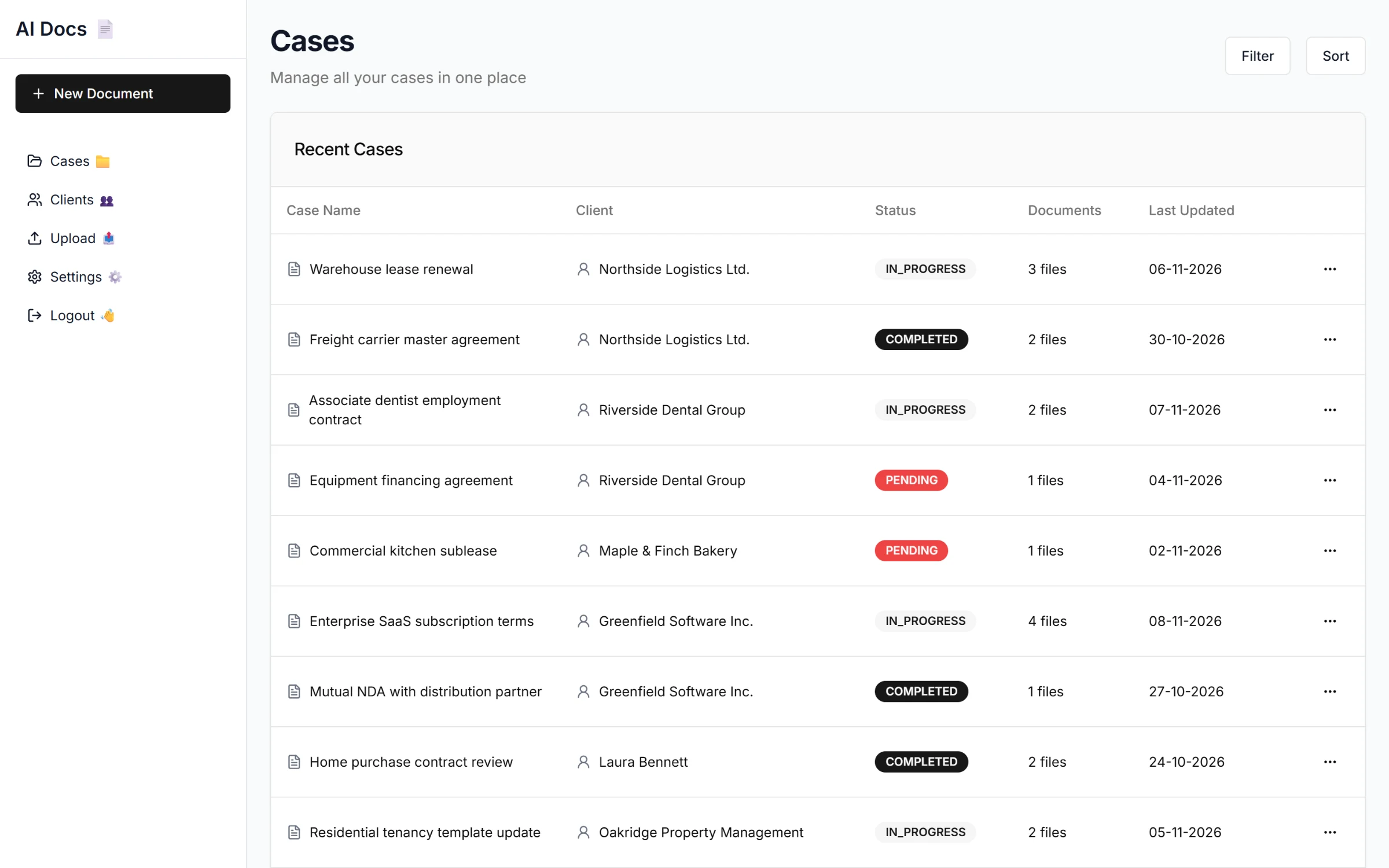
All cases across the office's clients.
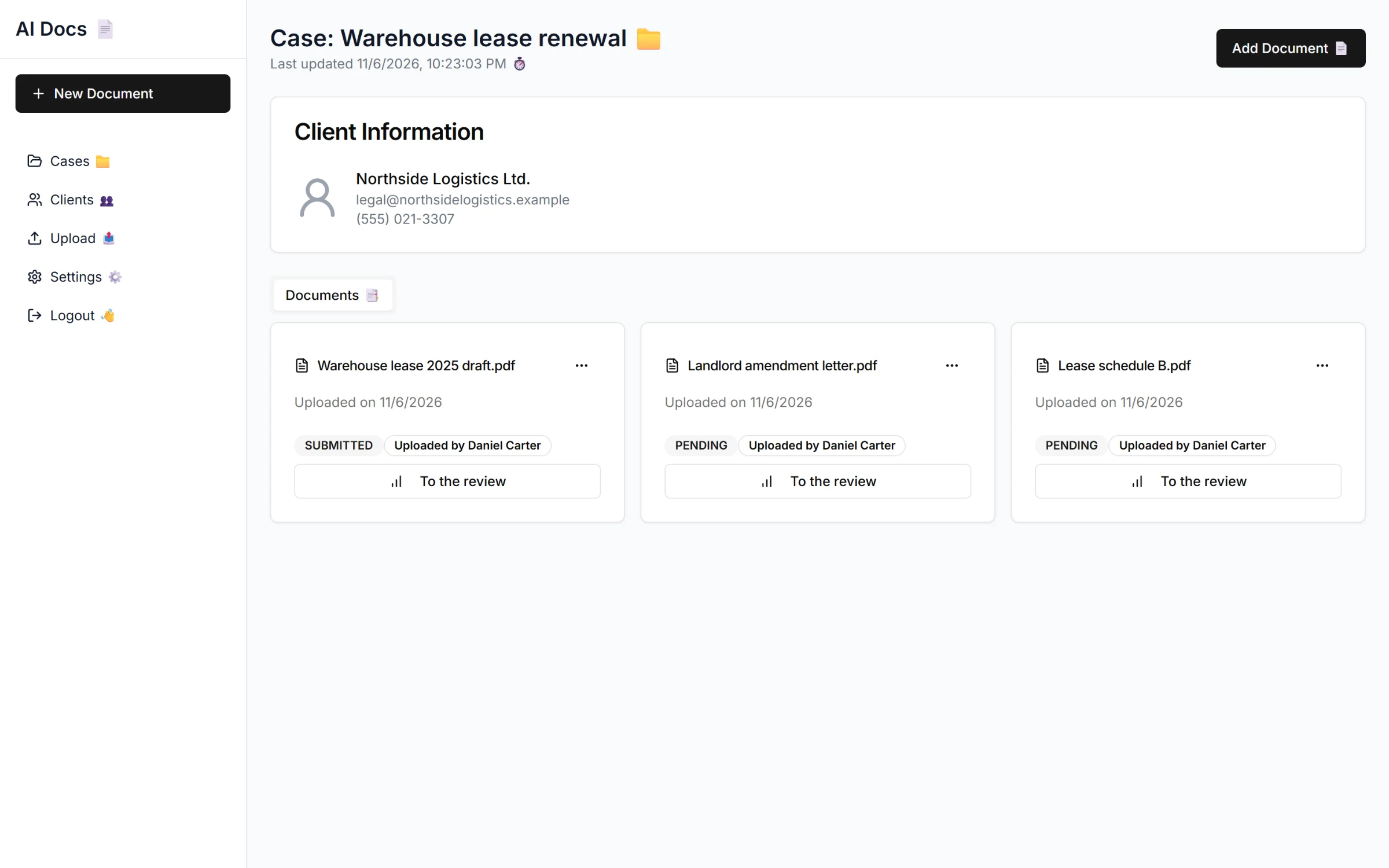
A case with its client and documents.
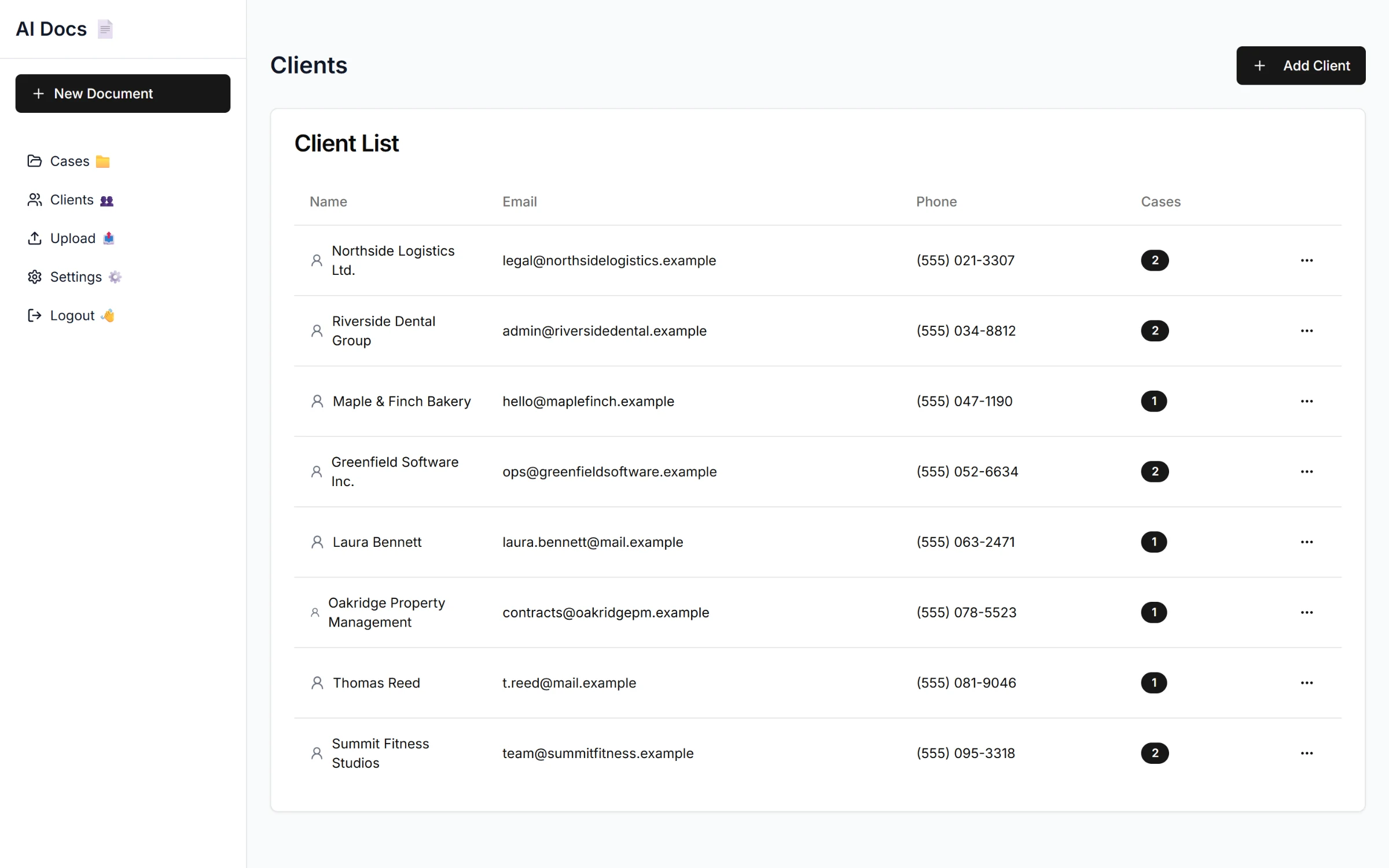
The client list.
Sign-in and data
Lawyers sign in with their phone number and a one-time code. The API issues a JWT, validates request bodies with Zod, and lists only the clients and cases linked to the signed-in lawyer. Files sit in a private S3 bucket and are only ever shown through short-lived signed URLs.