The product
Home-care agencies place live-in caregivers with elderly and disabled clients. Every placement carries a lot of paperwork:
the client's care benefit and permit
the caregiver's passport, visa and medical insurance
home visits by a social worker at fixed points after the placement
fees, instalments and standing orders
regular reports to the authorities
Agencies used to track all of it in spreadsheets. Wave Smart Flow Nursing puts the whole placement in one system, from the first call to the last renewal.
It is a multi-tenant Next.js application, built by a team over almost three years: 133 database models, about 100 API routes and more than 500 server actions. The screenshots here use demo data, with the interface translated into English.
My part
I was one of the developers on the team from February 2024 to December 2025, on both the backend and the frontend. I wrote the first version of the app and built most of its core:
The client file: personal details, contacts, medical and hospital history, insurance, preferences, placements, documents, invoices and visits
Workers, with their details, references, statistics and filtering, which I later rebuilt to make the lists much faster
Placements: matching clients with caregivers, filtered by the client's preferences
The company structure: regions, branches, users and roles, and the history of each client's social worker and coordinator
Home visits: the data model, the first visit forms, signatures and PDF generation
The first version of payments: transactions, invoices, related and cancelled documents, recurring payments and card checks
The first sync with the external client and worker database, with locked fields and a scheduled job
The first reports, the dashboard, tasks and alerts, and the seed scripts the team used for local data
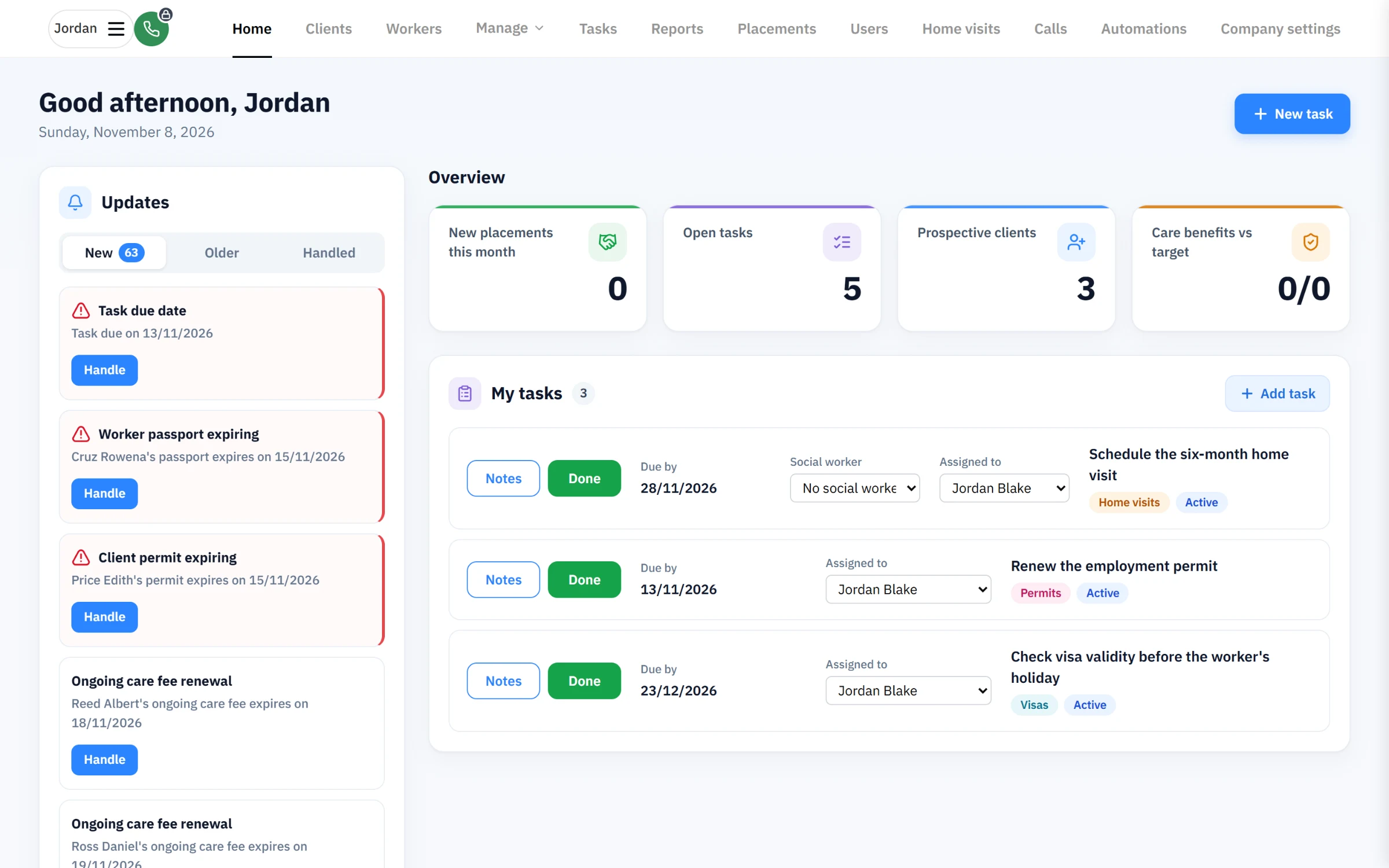
The home screen: expiring permits, visas and passports, open tasks and the month at a glance.
One file per client
Everything about a client sits in one file: who they are, who to call, their care benefit and permit, the caregiver living with them and every visit. A summary panel stays on the side, so staff never lose the context while they work through the tabs.
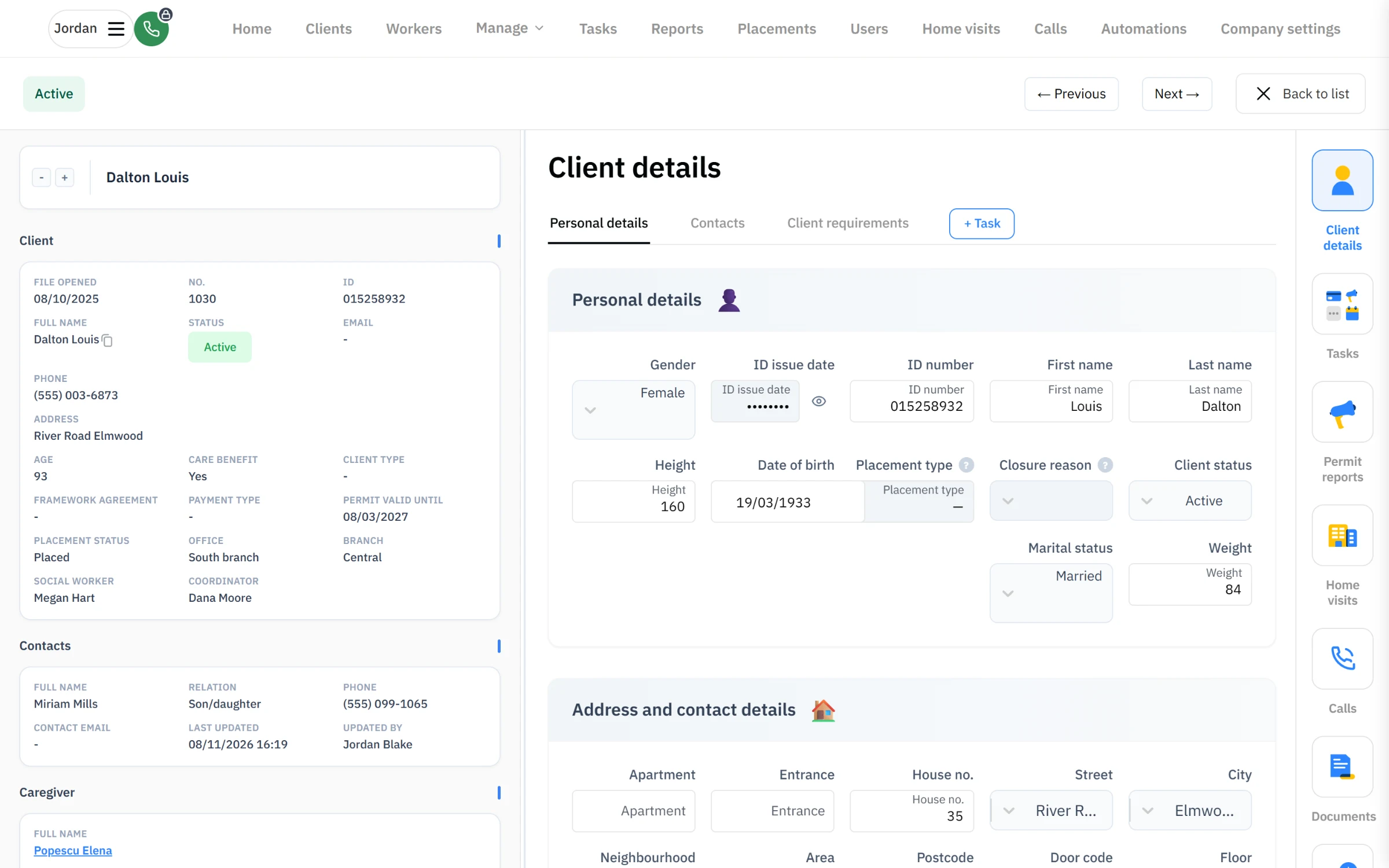
A client file, with the summary panel on the left.
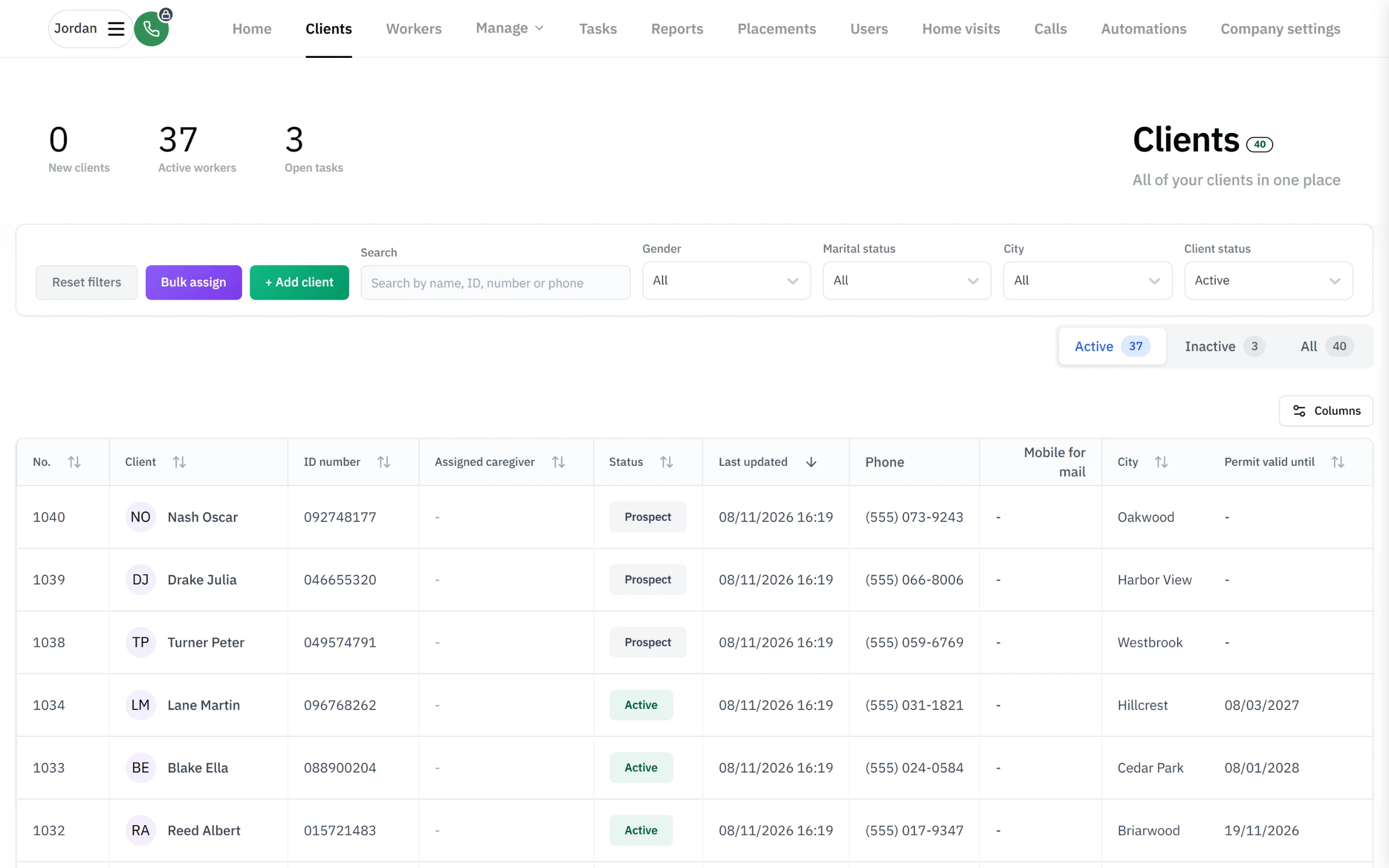
The client list, with each client's caregiver and permit expiry.
Nothing expires unnoticed
The system watches every date that matters: permits, visas, passports, care fees and payment instalments. Alerts reach the right person before something runs out, and the permits screen opens a renewal request automatically two months before a permit ends.
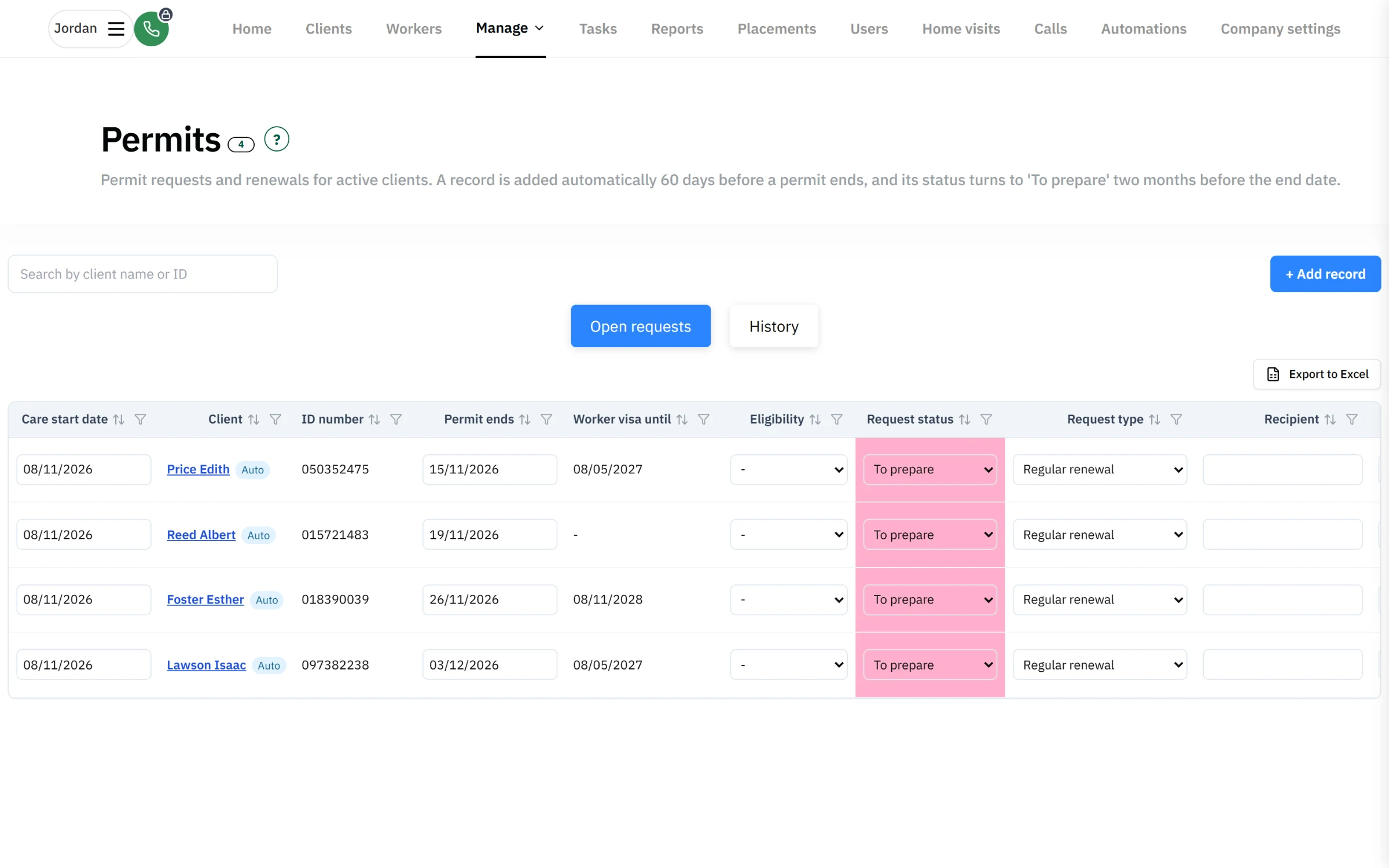
Permit renewals, opened automatically before the end date.
Home visits on schedule
Social workers have to visit each client after a placement and then at fixed intervals. The visits screen shows what is due this quarter, who is going and whether the signed form is in.
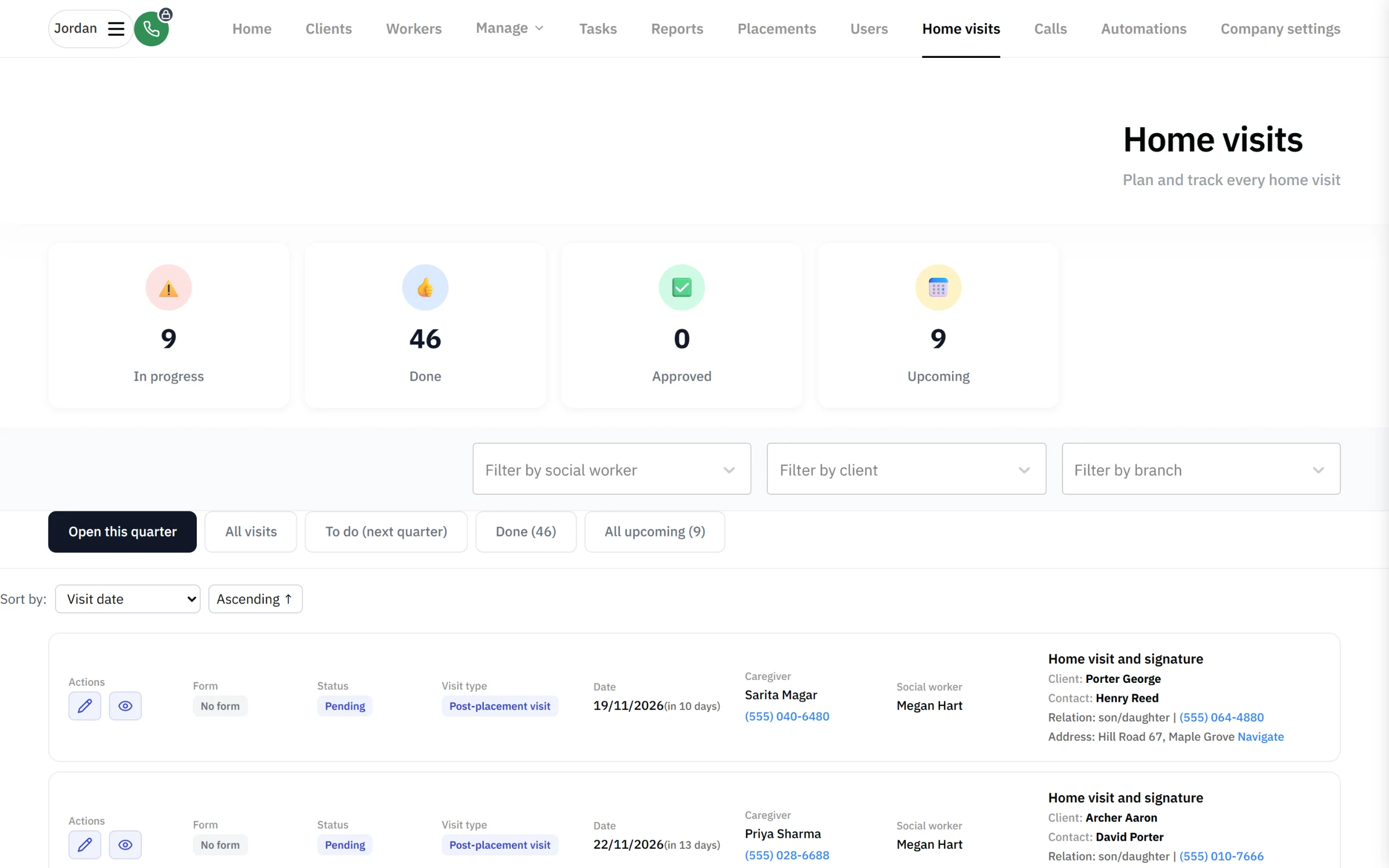
Home visits due this quarter, with the caregiver, social worker and form status.
What I took from it
Starting a codebase that a team would build on for years taught me to keep the foundations plain: one way to fetch data, one way to check permissions, and shared components that new people can pick up on their first day.