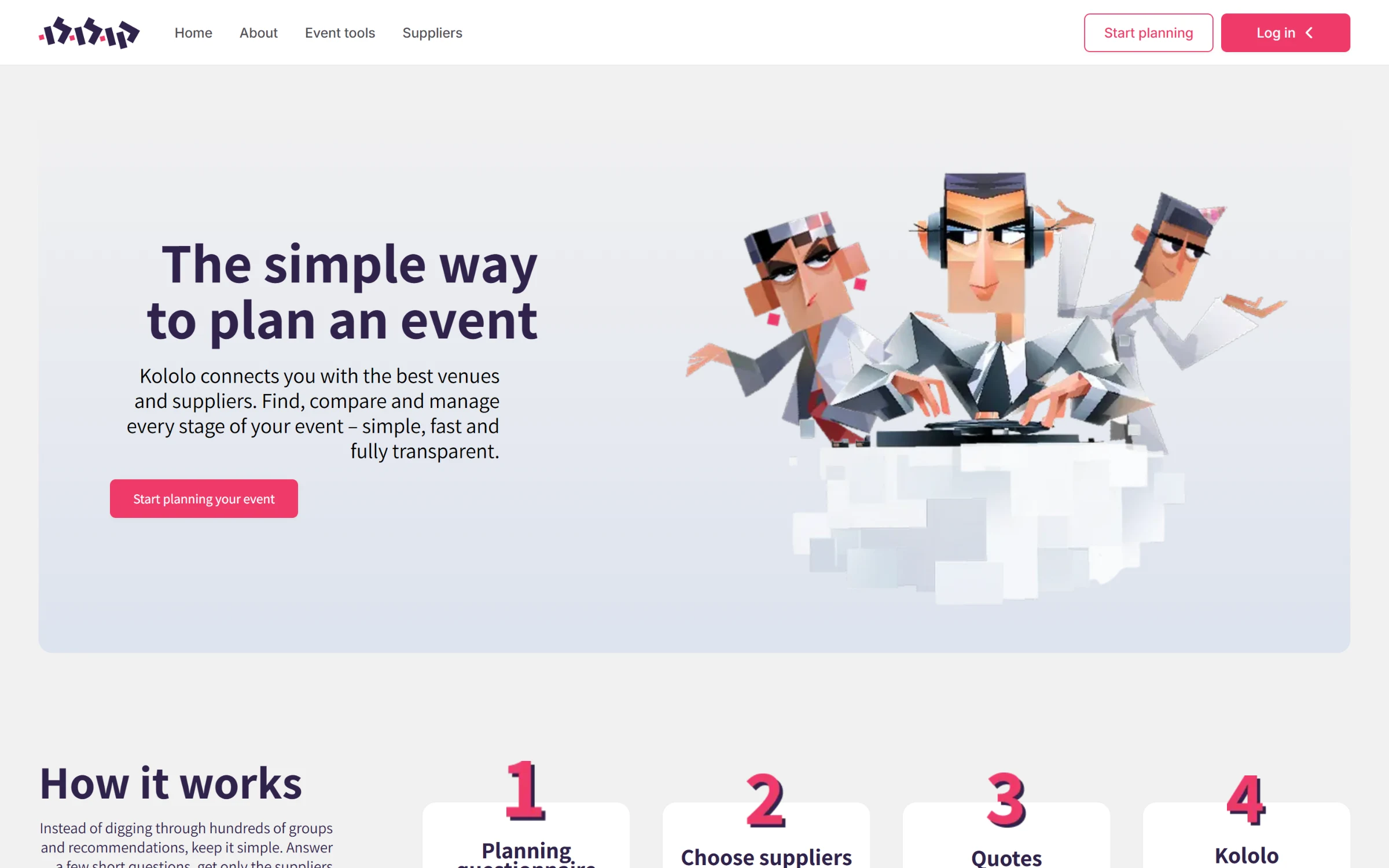
The problem
Planning a wedding or a family celebration means finding a venue, a photographer, a DJ, a caterer, a florist and more, then chasing each of them for a quote over WhatsApp. Suppliers, in turn, field the same questions from hundreds of couples who may never book.
What Kololo does
Kololo is a marketplace with two sides:
Event owners answer a short questionnaire, see only the venues and suppliers that fit their event and budget, request quotes and agree on prices.
Owners then manage the whole event in one place, with guests, RSVPs, gift amounts, an invitation and a seating plan.
Suppliers build a profile, receive matching event requests, and accept, decline or counter a quote.
An admin panel runs the categories, forms, invitation templates and plans behind it all.
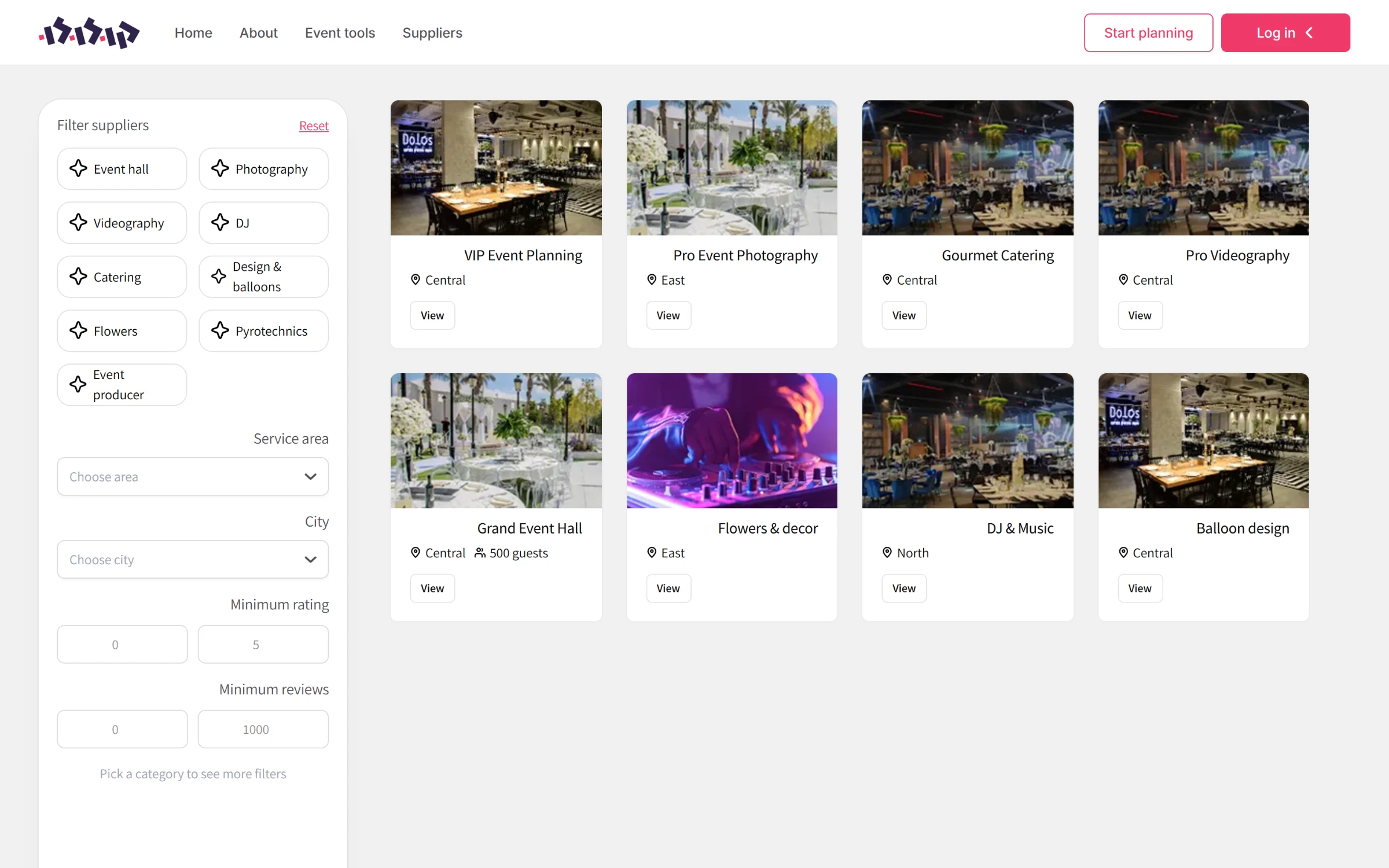
Supplier search, filtered by category, area, rating and reviews.
My role
I built the original product end to end over its first four months: the web app, the backend, the database and the admin panel. Later the team added reviews with moderation, the seating-plan engine, subscription billing and the test suite on top of that foundation.
Forms that admins design, not developers
A venue needs to list capacity and parking; a photographer needs styles and package hours. Instead of hard-coding a form per supplier type, I made categories and their fields data. Admins add a field with its type, options and whether it is required, filterable or part of onboarding. The supplier onboarding wizard, the public profile and the search filters all render from those definitions automatically, and the same system drives the event questionnaire.
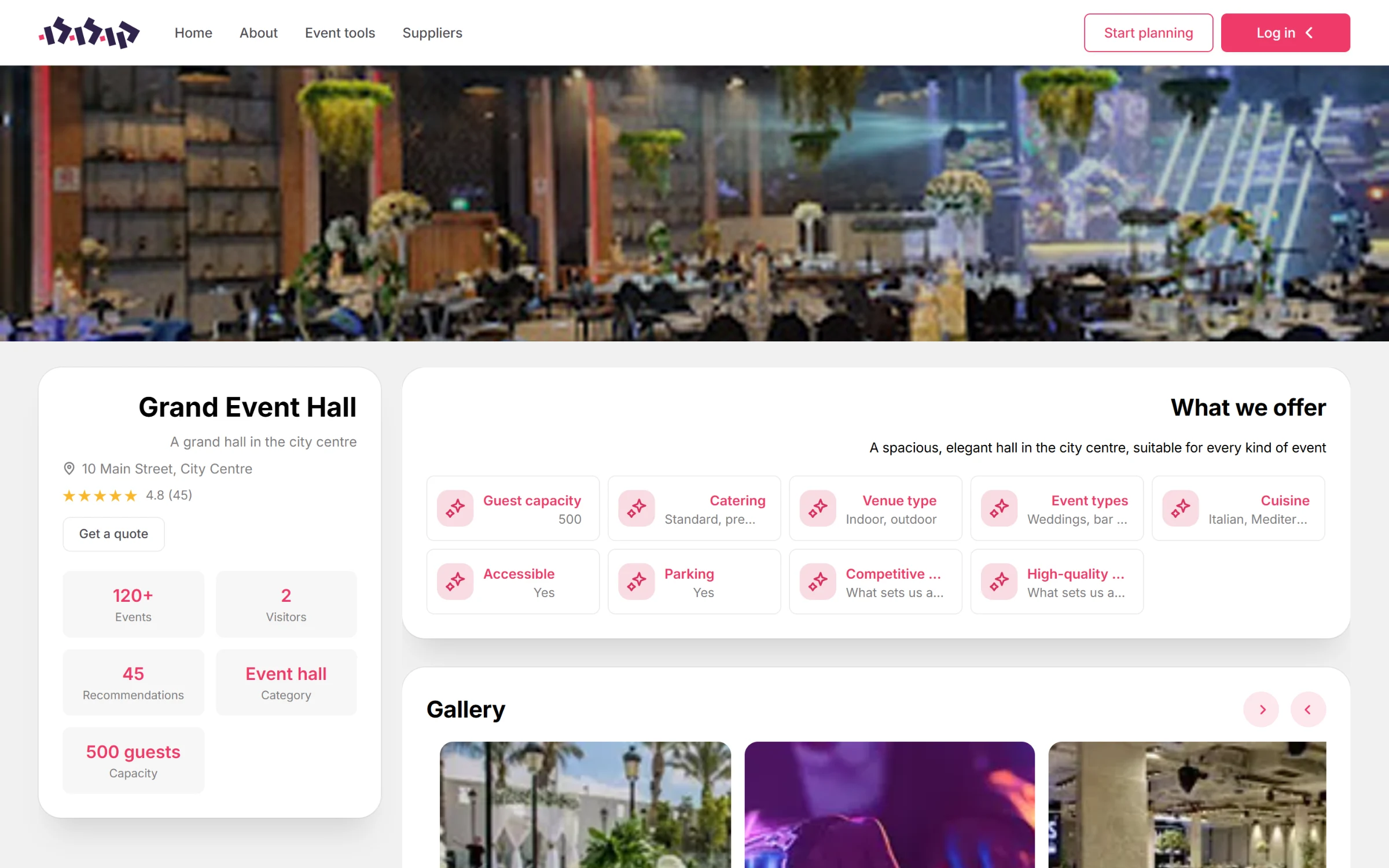
A supplier profile, built from the fields the admin defined for its category.
Quotes that go both ways
When an owner requests a supplier, the supplier is notified by SMS and sees the request on their dashboard. Either side can propose a price, and the other can accept, decline or counter, so the negotiation that used to happen in chat threads lives on the request itself. Call and WhatsApp buttons are one tap away when a conversation is quicker.
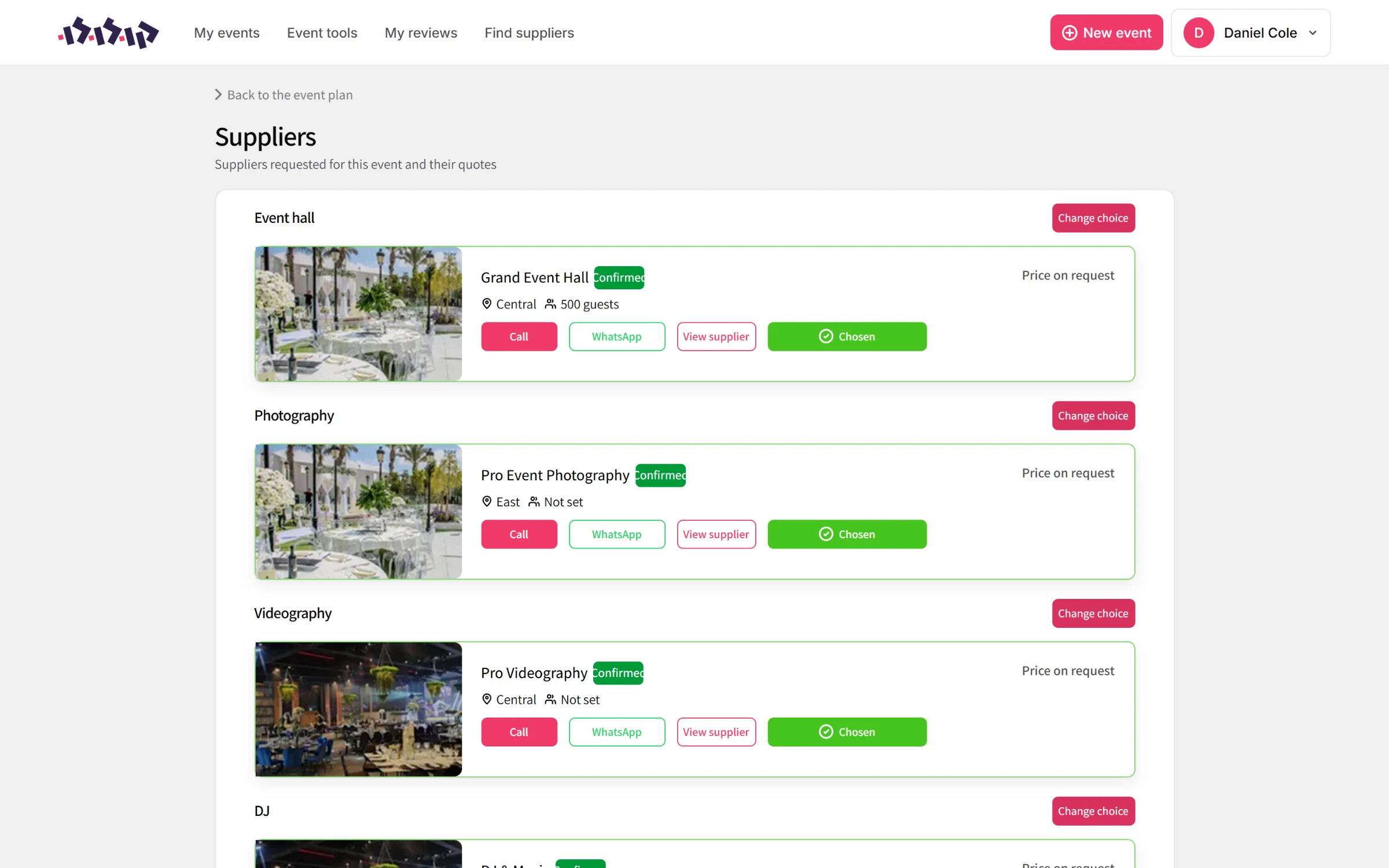
An event's suppliers by category, with their status and quote.
The event in one place
Owners follow their event from a single page: a countdown, RSVPs, how complete the details are, which suppliers are confirmed and which categories are still open. The guest list records each guest's side, party size, RSVP and gift, and exports to Excel.
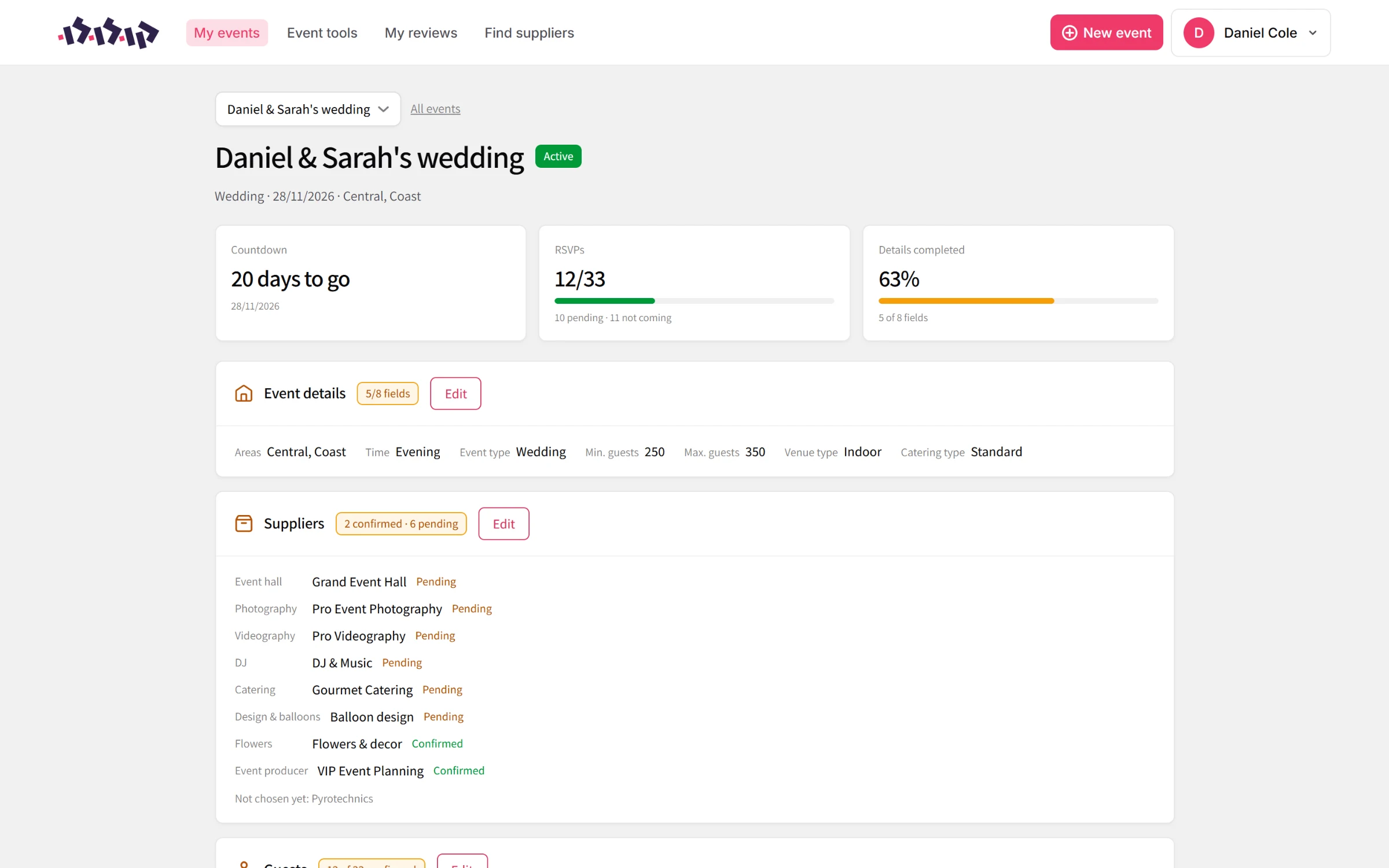
The event overview.
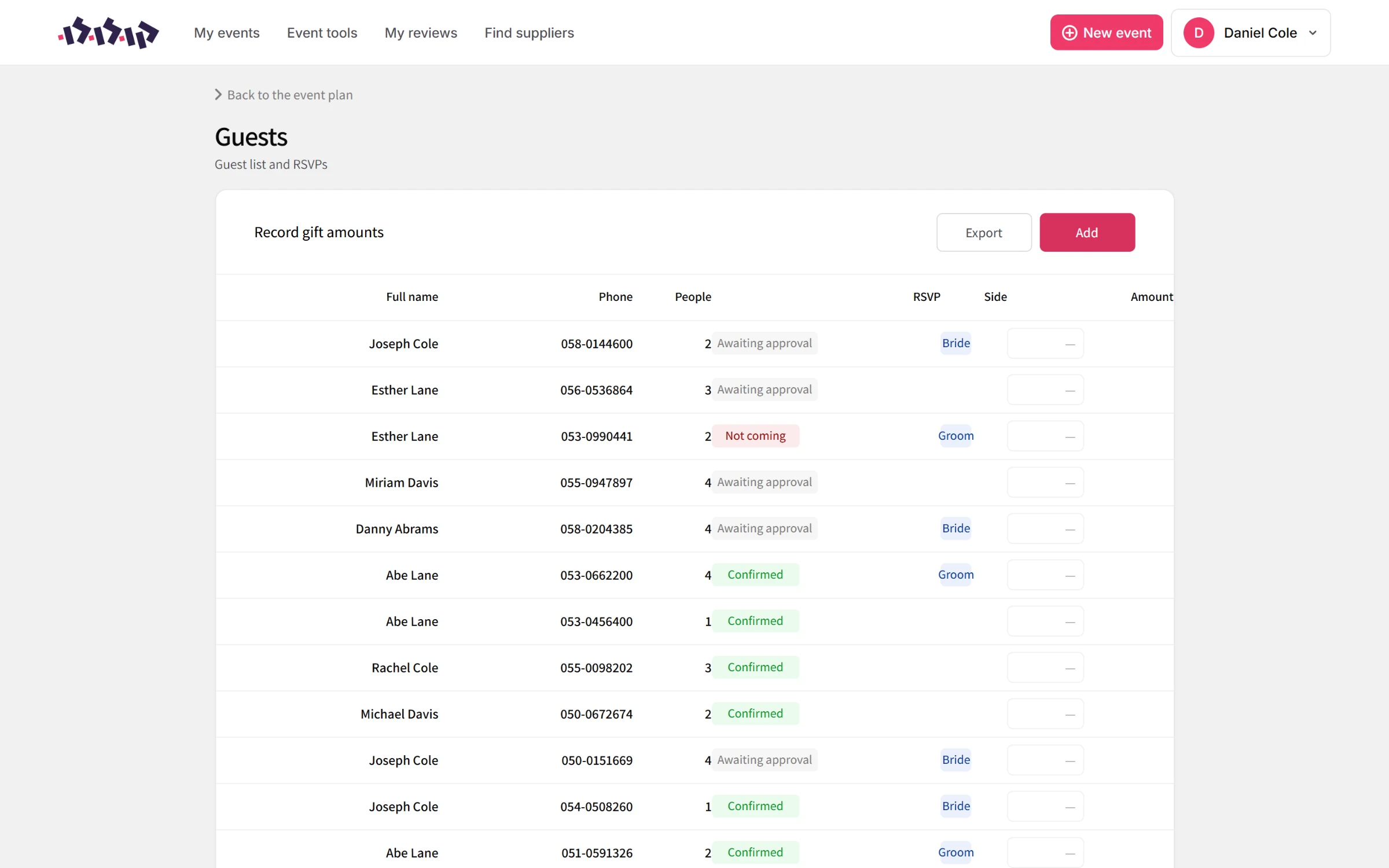
The guest list and RSVPs.
AI invitations
Owners pick one of the admin's invitation templates, and Google's Gemini image model redraws it with their names, date and venue. The finished card is saved to cloud storage and ready to send.
Built to be safe by default
Sign-in uses email and password or Google, with the session in a secure cookie. Middleware at the edge checks every request and keeps each role in its own area, and a login is refused if the account does not match the side of the site it came from.