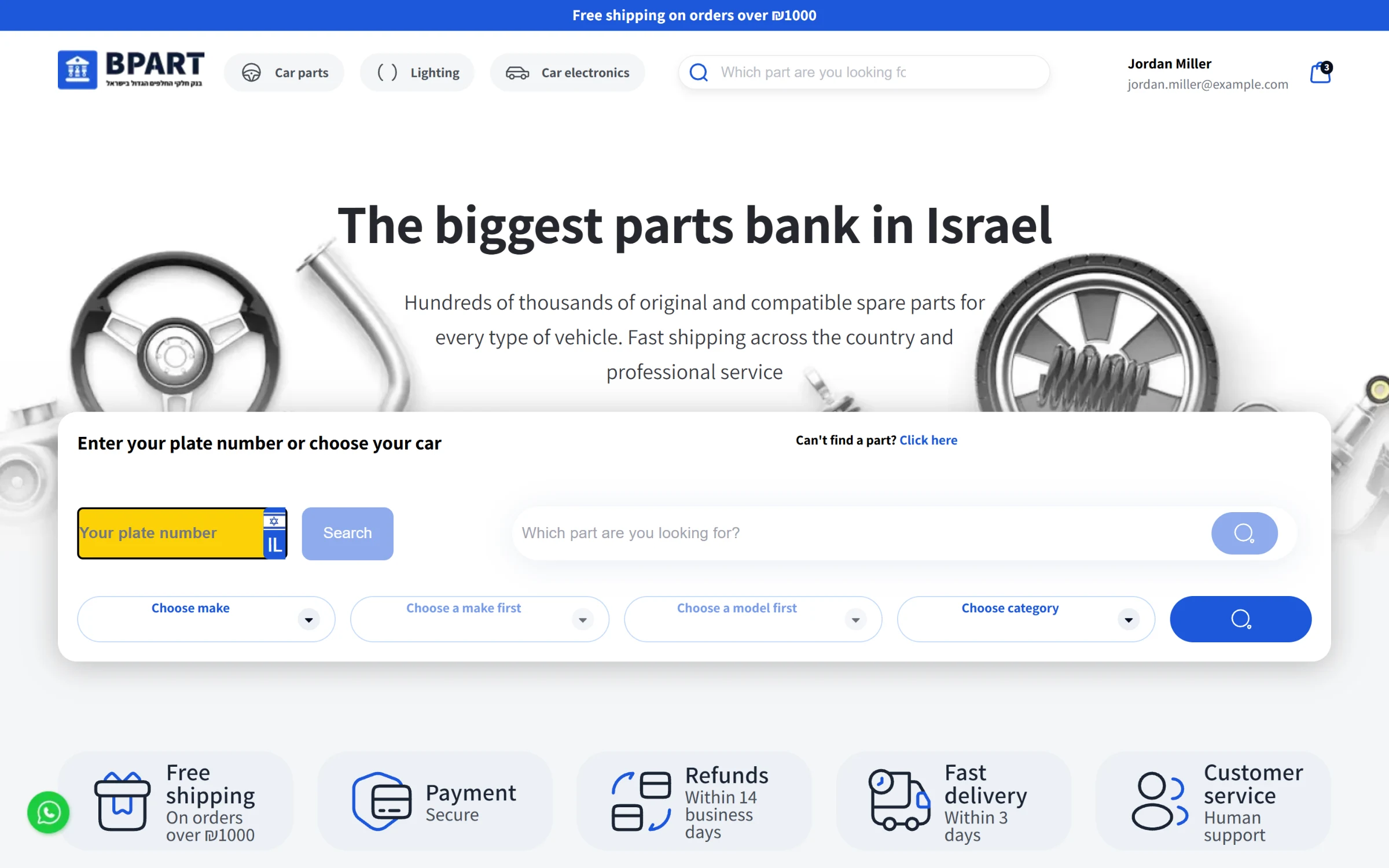
The product
B Part is an online store for car parts and accessories. A driver comes in with a car and a problem: a cracked mirror, a dead battery, a missing hubcap. The store has to answer one question quickly: which of these parts fits my car?
It has two sides:
A storefront where customers find parts by plate number, by make, model and year, or by search, then order and pay by card.
An admin panel where the team runs the catalogue, orders, payments, customers, part requests and the content of the store itself.
The screenshots use demo data, with the interface translated into English. They show the current version, which another developer changed in 2025.
My part
I built all of it: the storefront, the admin panel and the backend behind both, from March to October 2024. The store and its API live in one Next.js 14 app, and the admin panel is a second Next.js app with Material UI that talks to the same API. I wrote 245 commits in the store repository and 78 in the admin one.
How the backend fits together
The API sits in the same Next.js app as the store, under one route group, and splits into three areas by who calls it. In words, the diagram looks like this:
Storefront pages → /api/client (account, checkout, payment, my orders) and /api/common (catalogue, content, search) → Prisma → PostgreSQL
Admin panel → /api/admin (everything the team edits) and /api/common → the same Prisma client and database
Next.js middleware in front of all of it → checks the session cookie and which app the request came from
Off to the side → a card gateway for payments and invoices, an SMS provider, an email API, and S3 for uploaded files
By October 2024 that came to 80 route handlers. Every route that takes input validates it with Zod before it touches the database.
The database
I designed the schema in Prisma on PostgreSQL. It grew to 36 models over 70 migrations, as the store's needs came in. The core of it is fitment: a product links to makes, to models with a from-year and to-year, to categories and to a brand. Models carry alternative names, because the same car is written several ways. Around that sit variations with their own images, feature cards, technical details and uploaded files.
The order side has orders, order items with the chosen variation, delivery details and delivery types, coupons, payments with their status, and back orders for parts that are out of stock. The rest is content the team edits without a developer: store settings, banners, testimonials, FAQs, contact details, and even the text of the messages the API sends back. I also wrote scripts to import the full list of makes and models and to create the first admin.
Accounts and auth
Passwords are hashed with bcrypt. On login the API signs a JWT with jose and sets it as a cookie, one for customers and one for admins, valid for ten days. The middleware reads the request's origin: for the admin app it answers 401 when the token is missing or expired, so the panel can send the user back to login; on the store it redirects /my-orders and /my-profile to the login page. CORS only allows the two apps' origins. Sign-up and password reset both send a five-digit code by email that the customer has to enter back.
Checkout, card payments and invoices
A customer can check out without an account. The order endpoint finds the customer by email or creates them, emails a generated password, and saves their invoice details for next time. It gives the order a unique number, applies a percentage coupon and takes one use off it, and stores the delivery address and method.
Payment runs through a card gateway in steps:
The API writes a pending payment record first, so nothing is lost if the gateway call fails.
It sends the card to the gateway as a hold, not a charge. The gateway returns a token, which the API keeps so a returning customer does not type their card again.
When the hold succeeds, it asks the gateway to create an invoice receipt and email it to the customer, then marks the payment on hold and the order as placed.
In the admin panel, the team then captures or releases the hold from the order page, once they know the part is in stock.
Every failure path records a failed payment and passes the gateway's message back to the customer, so a declined card is never a silent error. Customers can have the invoice emailed again from their order history, and admins can do the same from the order.
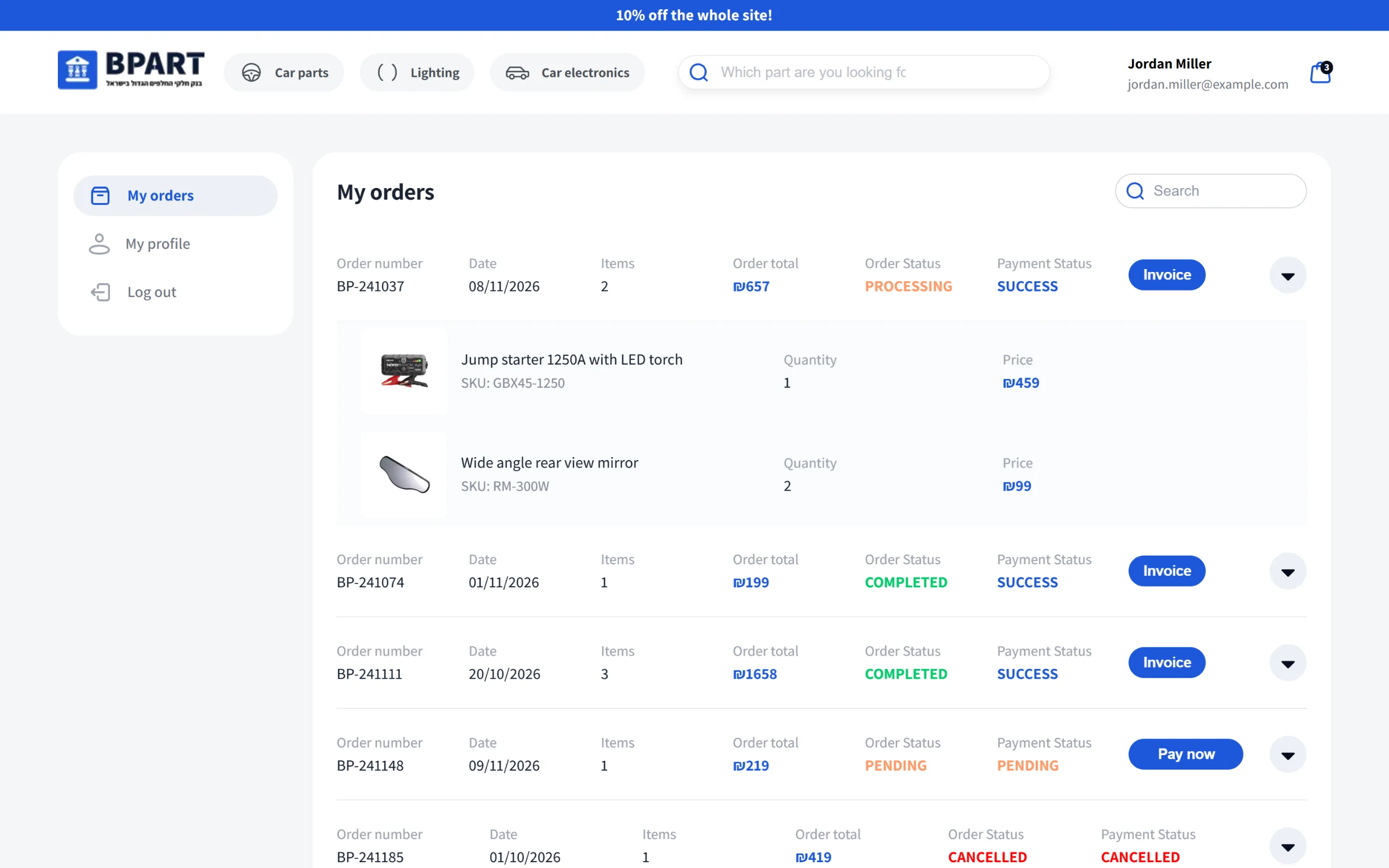
My orders: status and payment for each order, with an invoice button or a pay button for an open one.
SMS and email
I wrote two small services the rest of the API calls. The SMS service texts the customer when an order is placed and when its delivery status changes. The email service started on AWS SES and moved to Resend in July 2024. It sends verification codes, a new-order alert to every admin, part-request alerts to the team, and passwords for accounts created at checkout, and stores a record of each email in the database.
The admin APIs
Most of the 80 routes are for the admin panel. Each part of the catalogue has its own create, read, update and delete endpoints: makes, models, categories, brands, features, variations and products. A product is saved in one request with its images, prices, stock, fitting cars and years, variations and technical details.
The order endpoints return an order with its customer, items, delivery and payments, update the delivery status and send the SMS, and run the payment capture or release. There are endpoints for customers, part requests and replying to them, back orders, coupons and delivery types, and for every piece of store content. Files go through one upload route that puts them in S3 and records what they are for.
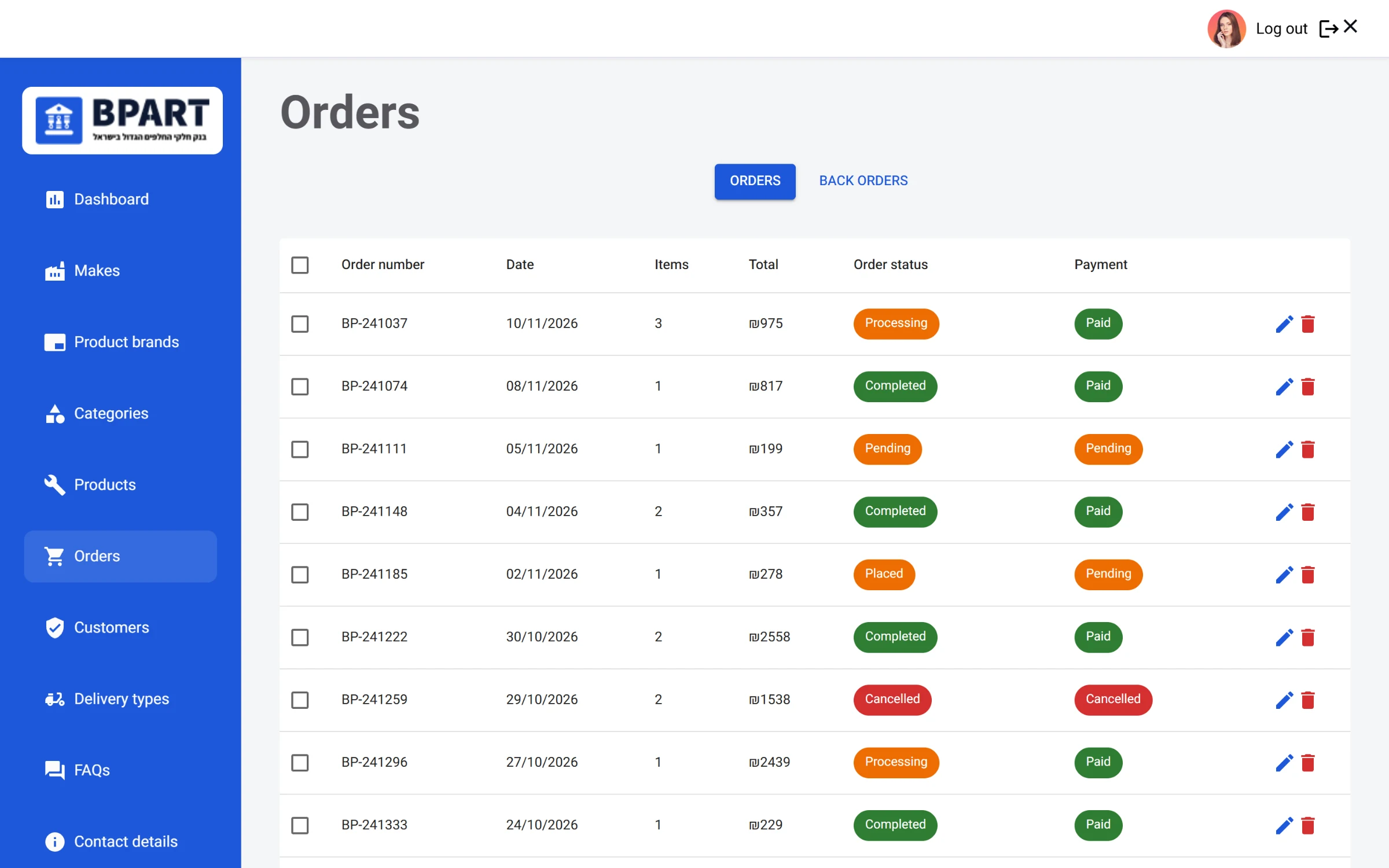
Orders in the admin panel.
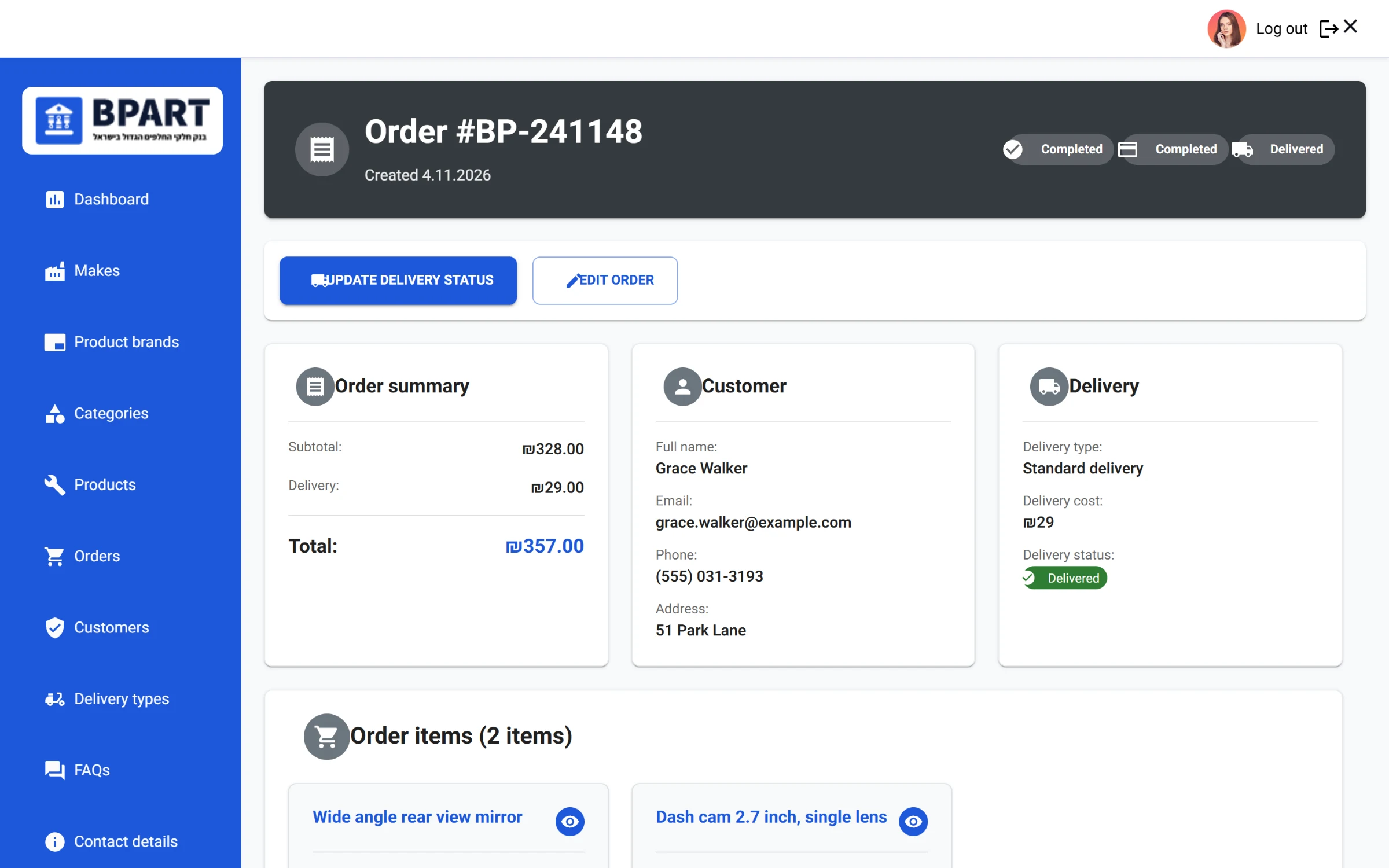
One order: totals, customer, delivery and the items, with the delivery status button that also texts the customer.
Finding the right part
Most people do not know a part number, so the search starts from the car. The customer types their plate number and the store looks it up in the national vehicle registry's open data, trying several datasets in turn, and fills in the make, model and year. Or they pick them from three linked dropdowns, each loaded from the one before.
On the backend, the products endpoint filters by category, make, model and year. It accepts an ID or a name for each, and a model name also matches the alternative names stored for it, so a link from the menu and a name from the registry lookup both find the same parts. Search matches the product name, the SKU and the store's internal SKU. The listing also gets a title and description built from the filters, for the page and for search engines. If a part is not listed at all, a short form sends a part request to the team with the car details.
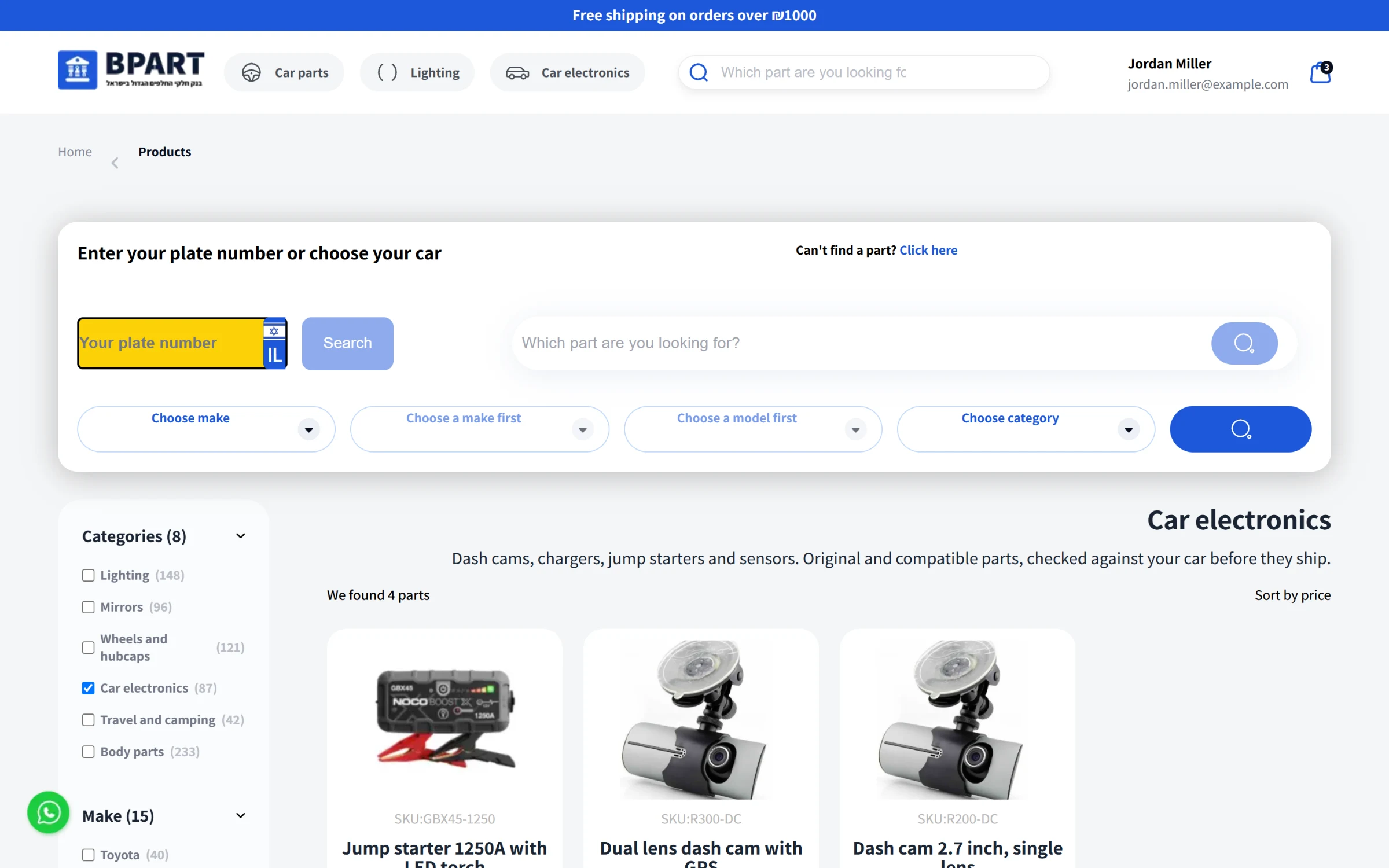
A category listing with filters, counts and the car search on top.
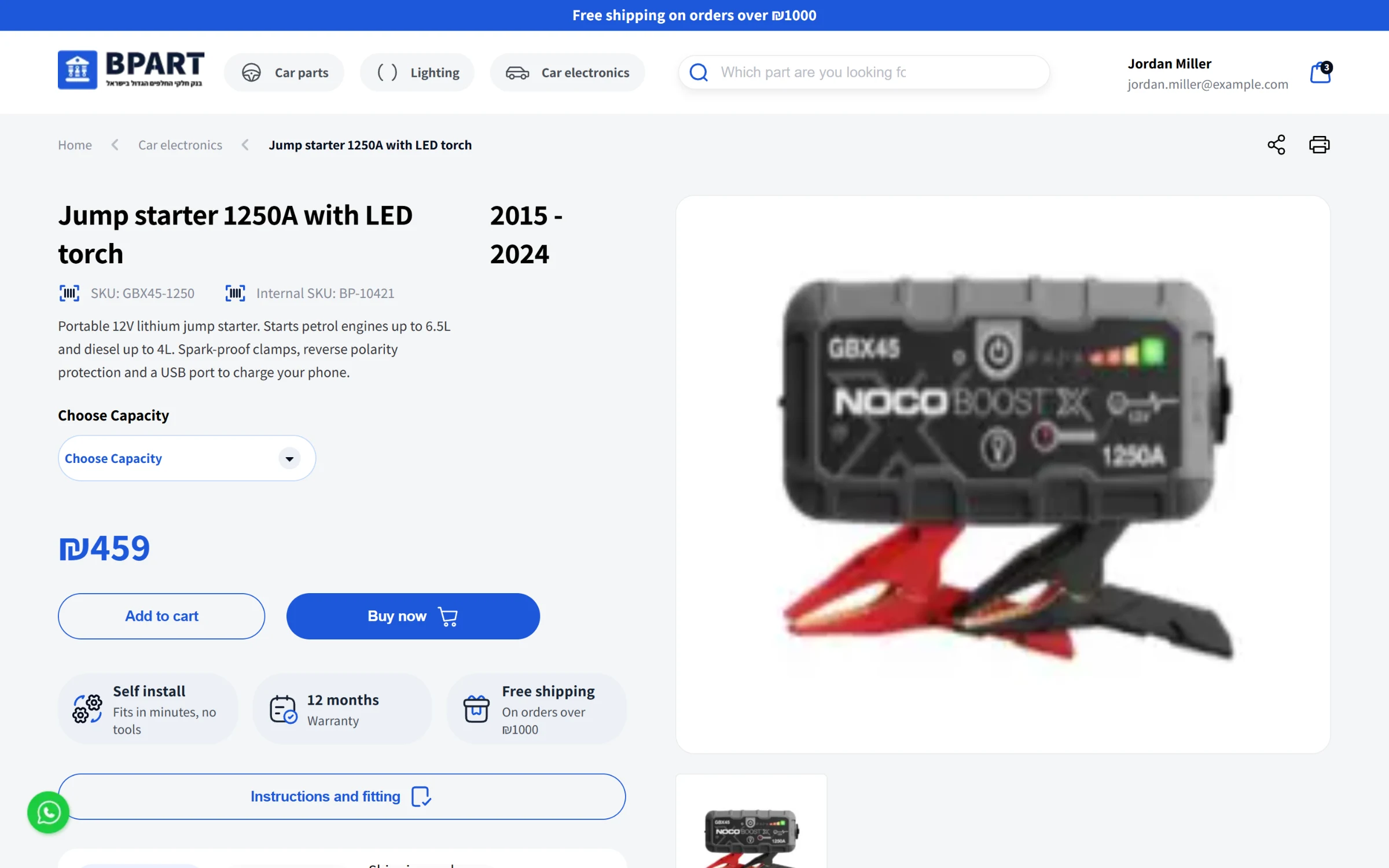
A product page: variation picker, price in shekels, feature cards, fitting years and instructions.
Cart and the storefront
Products can have variations, like capacity or memory size, and the choice travels with the item into the cart, the order and the invoice. The cart is a drawer that stays in local storage, so it survives a refresh. Which products the cart suggests, which two categories sit in the header, the top bar message and the banners all come from the settings the team edits in the panel.
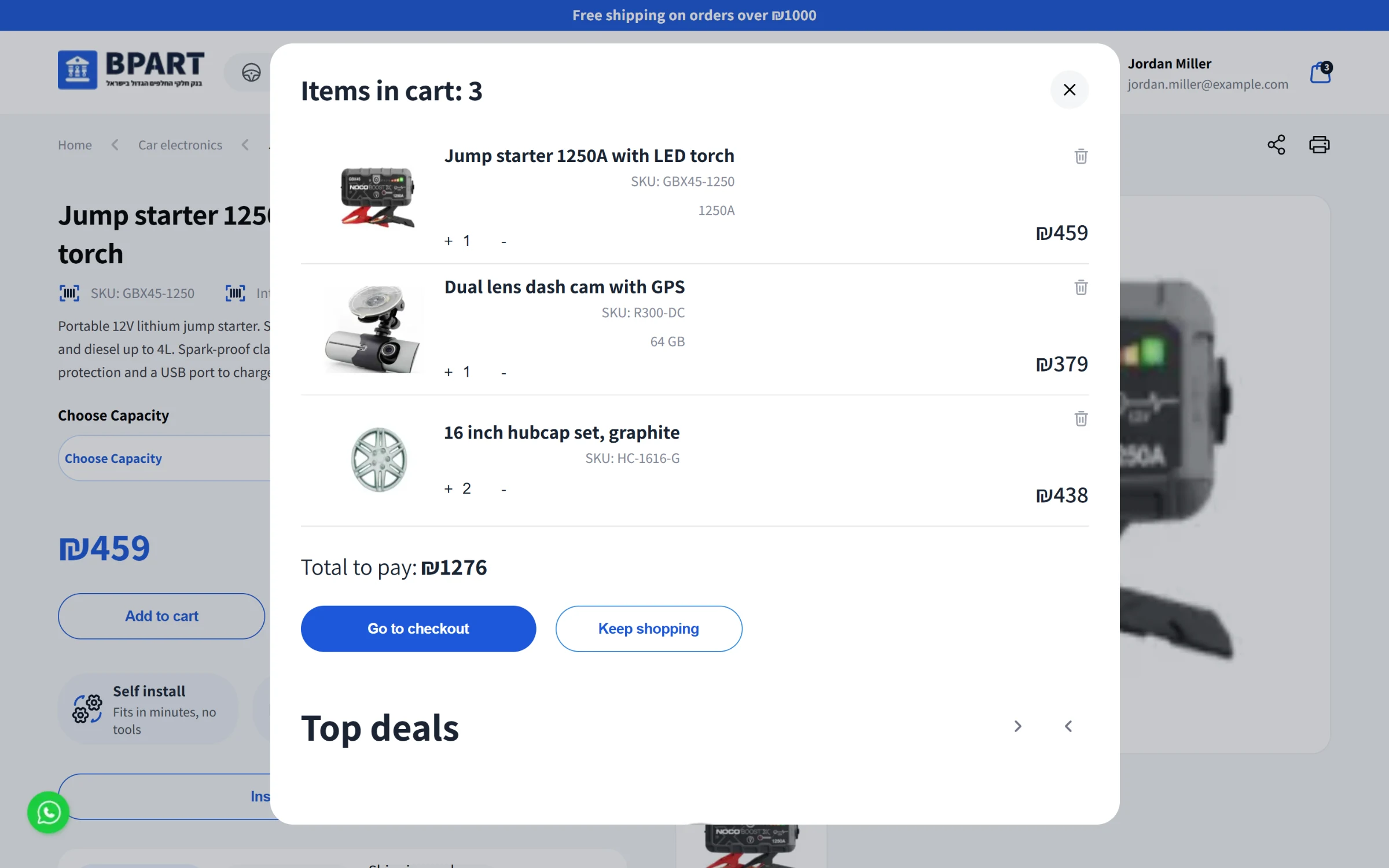
The cart drawer, with the chosen variation under each item.
Mobile
A lot of the later work went into mobile: a side menu, a filter sheet for the listing, compact product cards for small screens and a mobile layout for the product page.
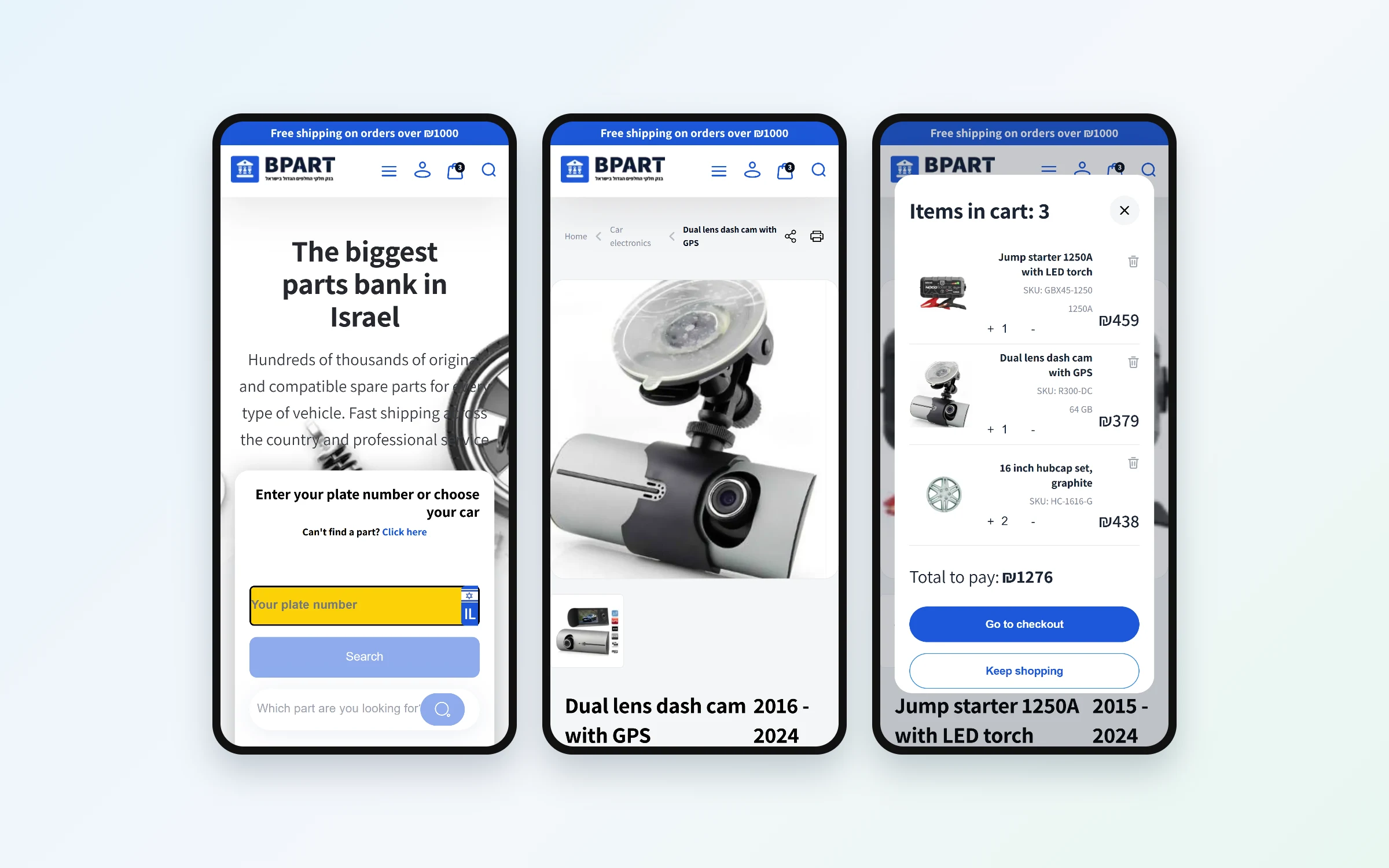
Home, product and cart on a phone.